The Ultimate Copy For Voice Over Demo (Copy-Paste Templates)

Executive Summary
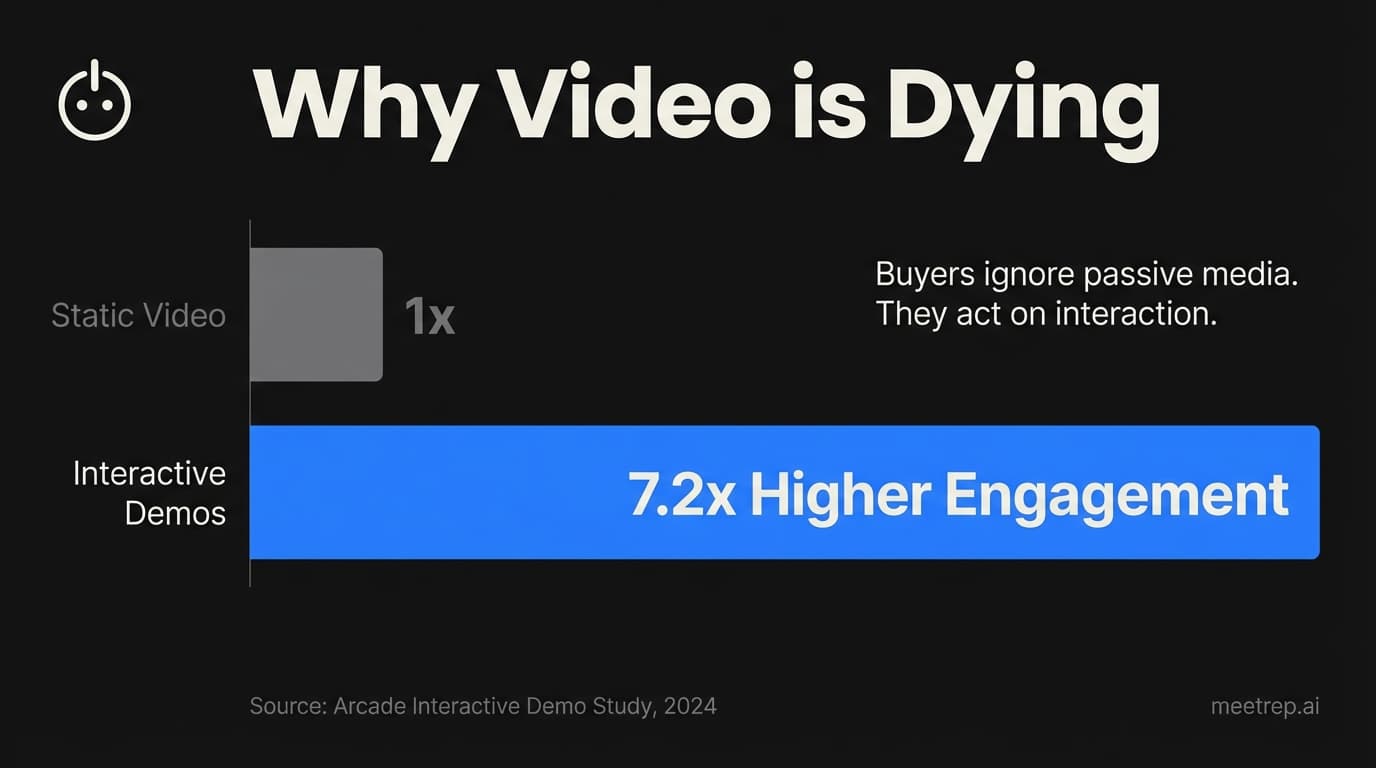
- The Problem: Passive video scripts are losing engagement. Interactive demos see 10x higher CTRs than linear video.
- The Shift: You need to stop writing "scripts" and start writing "system prompts" (playbooks).
- The Solution: Use the 3 templates below to build demos that adapt to the buyer, rather than forcing them to watch.
I hate recording demo voiceovers.
At my last startup, GoCustomer.ai, I remember spending an entire Saturday recording a simple 2-minute product walkthrough. I’d get 90 seconds in, stumble over the word "integration," and have to start over.
Take 47. Take 48.
The result? A rigid, perfect-sounding video that was obsolete two weeks later when we pushed a UI update.
If you’re searching for "copy for voice over demo," you’re likely in that same boat. You want a script that sounds professional, converts leads, and doesn't take three days to produce.
But here is the hard truth I’ve learned after building sales automation tools for years: The best demo copy isn't a monologue. It's a conversation.
In 2026, buyers don't want to sit through a linear video. They want to click, ask, and interrupt.
Below, I’m giving you the exact templates we use—not just for static videos, but for the new wave of interactive AI agents.
Why Traditional Demo Scripts Fail in 2026
Traditional demo scripts fail because they treat the buyer as a passive audience member rather than an active participant.
When you write a linear script ("Hi, I'm X, today I'll show you Y..."), you are betting that the viewer cares about your features in the exact order you decided to list them. They usually don't.
The Data: According to Arcade’s data, the median click-through rate (CTR) for linear video is around 3.21%. Compare that to the top 1% of interactive demos, which achieve a 54% CTR (via Navattic).
That is not a small difference. That is a chasm.
When we analyzed high-performing demos at Rep, we found they all shared one trait: Choice.
A linear script forces a CEO to watch the same content as a SysAdmin. A branching script (or interactive demo) asks: "Are you focused on security or speed?" and adapts the copy accordingly.
Key Insight: If your copy doesn't account for who is watching, you aren't writing a demo. You're writing a lecture.
The New Standard: "System Prompts" vs. "Scripts"
Before you copy the templates below, you need to understand the shift happening in our industry.
If you use tools like Navattic or Rep, you aren't just writing a speech. You are writing logic. In the world of AI agents, we call this a System Prompt.
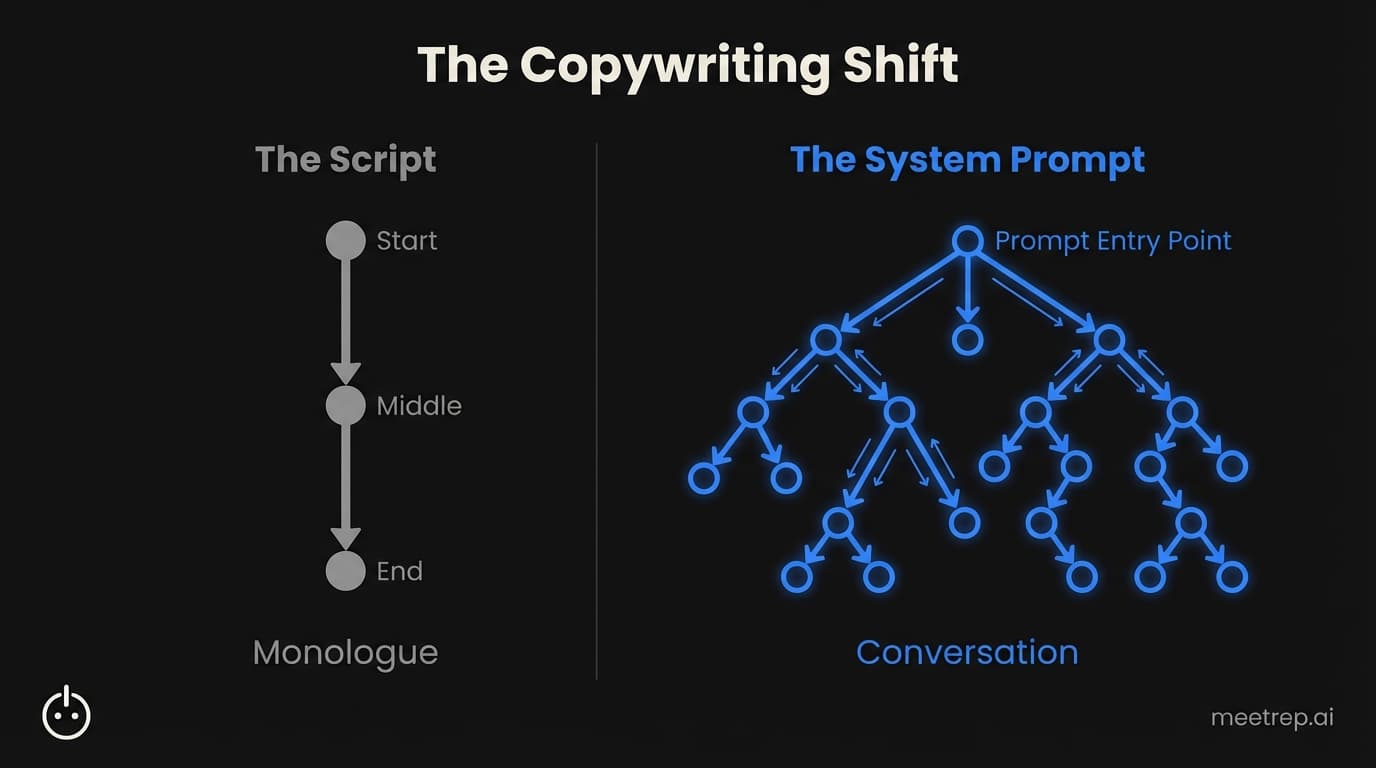
A script is a monologue. A system prompt is a set of instructions that tells an AI agent (or your interactive flow) how to behave based on what the user does.
Here is how the mindset shifts:
| Feature | Old School "Script" | Modern "System Prompt" |
|---|---|---|
| Structure | Linear (Start → Middle → End) | Branching (Context → Intent → Response) |
| User Role | Listener | Driver |
| Handling Objections | Ignored (or addressed at end) | Handled in real-time ("barge-in") |
| Updates | Re-record audio file | Update text file |
| Engagement | ~3% CTR | 10x higher CTR Source |
Why we built Rep this way: At Rep, we realized that "scripting" an AI agent to read a paragraph perfectly is actually bad design. Humans don't read paragraphs. We speak in "utterances"—short bursts of information followed by a check-in. "Does that make sense?" "You following me?"
The templates below use this logic.
3 "Copy-Paste" Voice Over Templates
These templates are designed for interactive contexts. You can use them for a video voiceover, but they shine when used with an interactive demo platform or an AI agent like Rep.
Template 1: The "Speed-to-Lead" Qualifier (SDR Focus)
Goal: Hook an inbound lead who just requested a demo. Stage: Top/Middle of Funnel.
Most scripts start with "Hi, thanks for requesting a demo." That’s boring.
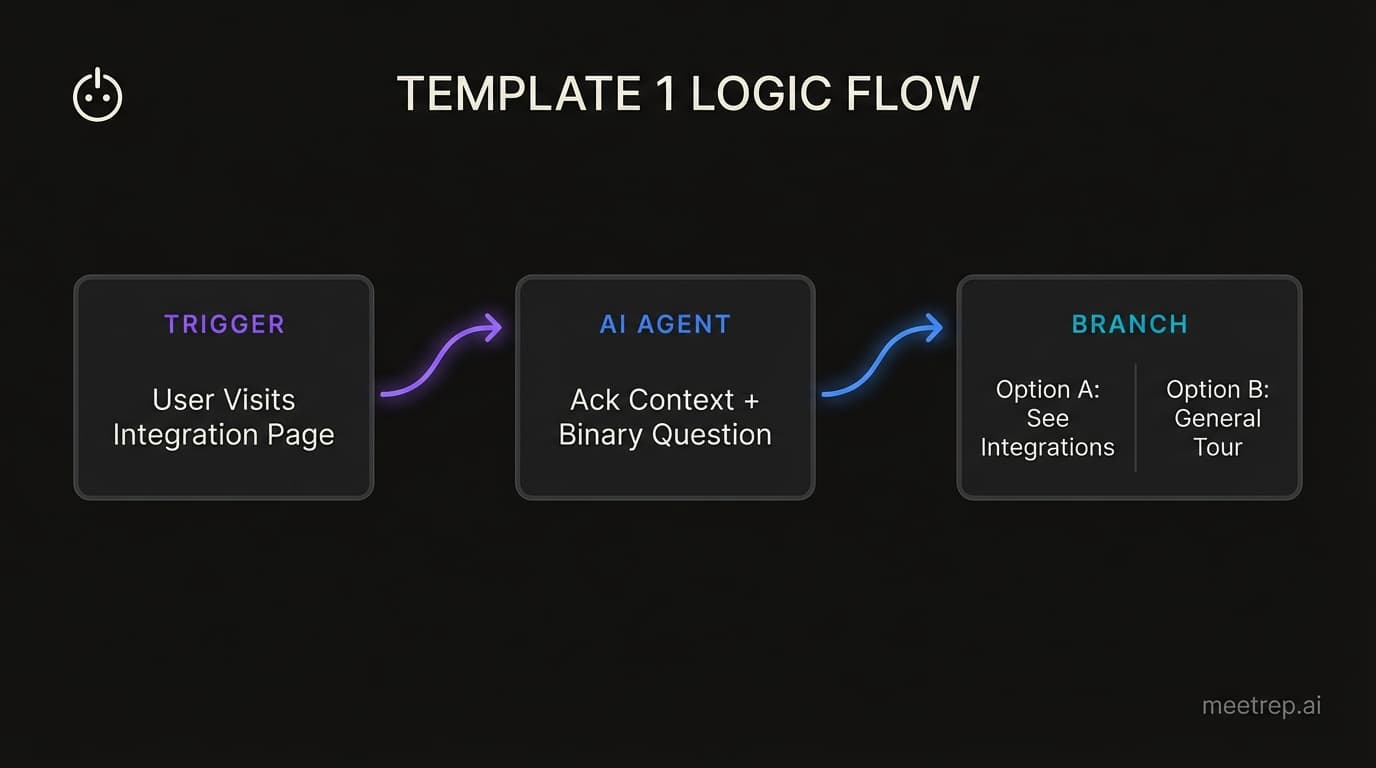
Instead, use a Context-Triggered Opening. This copy assumes you know why they are here (e.g., they came from a specific landing page).
The Copy:
Agent/Voice: "Hey [Name], I saw you were checking out our [Specific Feature, e.g., 'API Integrations'] page. I'm [Agent Name], an AI specialist here at [Company].
Usually, when folks look at that page, they're trying to figure out if we connect with [Competitor/Partner Tool]. Is that what you're trying to solve, or did you just want a general tour?"
Why this works: It asks a binary question immediately. It forces engagement. If you are recording a video, you can visually display two buttons: "Show me Integrations" vs. "General Tour."
Template 2: The "Pain-Point" Pivot
Goal: Unstick a prospect who is lingering on a complex feature or pricing page. Stage: Middle of Funnel (Evaluation).
We learned this the hard way at GoCustomer. If you just list features, eyes glaze over. You need to frame features as loss aversion.
The Copy:
Agent/Voice: "So, this is the [Feature Name] dashboard. It looks like a lot of data, I know.
But here’s the thing: Most teams I talk to are currently losing about [Stat: e.g., 10 hours a week] doing this manually in spreadsheets.
I can show you how to automate that in three clicks, or we can skip to the reporting features. Which is a bigger priority for you right now?"
Why this works: It acknowledges the complexity ("It looks like a lot of data")—which builds trust—and then immediately offers a specific "loss aversion" hook ("losing 10 hours").
Template 3: The "Objection Handler"
Goal: Address price or competition before they even ask. Stage: Bottom of Funnel.
In a traditional video, you hope they don't think about competitors. In an interactive demo, you bring it up yourself. This creates massive credibility.
The Copy:
Agent/Voice: "That’s the core workflow. Now, a fair question we get a lot is: 'Why wouldn't I just use [Competitor X] for this since they are cheaper?'
Honestly? If you just need basic [Function A], you should use them.
But clients switch to us when they get tired of [Specific Pain Point with Competitor]. Let me show you exactly how we handle that differently. Want to see the comparison?"
Common Mistake: Don't shy away from naming the alternative. Buyers are already comparing you. Be the one to frame the comparison.
How to Make AI Voices Sound Human (The "Un-Robotic" Guide)
If you are using AI tools for your voiceover—and statistically, you probably are—you need to be careful.
The Data:Wyzowl’s 2025 report shows that 63% of video marketers now use AI tools for creation. But buyer tolerance for robotic, "uncanny valley" voices is dropping.
If you paste a formal script into a text-to-speech engine, it will sound like a GPS navigator from 2015.
Here is how to fix it using Discourse Markers.
1. Add "Fillers" Intentionally
Humans don't speak in perfect prose. We use fillers. When we configure voices at Rep, we intentionally inject these markers to signal humanity.
- Bad (Robotic): "Next, click the submit button to process your order."
- Good (Human): "So, once you're ready, just hit that submit button and—there you go—the order processes."
Words to sprinkle in:
- "So..."
- "Actually..."
- "You know..."
- "Right?"
- "I mean..."
2. Manage "Latency" with Short Openers
If you are building a live AI agent, latency (the delay before the AI speaks) is a killer.
My recommendation: Keep your opening "utterance" extremely short. Instead of a long paragraph, start with: "Hey there." This buys the AI processing time to load the rest of the context without an awkward silence.
3. Use "Backchanneling"
If the user is speaking (or in a video, if there is a pause for a visual transition), the voice shouldn't be dead silent. It should offer affirmations like "Mm-hm," "I see," or "Exactly." This is called backchanneling, and it’s the #1 signal of active listening.
Best Practices for "Visual" Voice Overs
Your audio copy cannot exist in a vacuum. It has to match what is happening on the screen.
According to Navattic's State of Interactive Product Demo 2025, 90% of top-performing demos rely on high-fidelity desktop captures, not abstract animations.
This creates a synchronization challenge.
The "Show, Don't Tell" Rule
If your screen shows the mouse clicking "Settings," do not say "Now I am clicking settings." Say: "Let's head into the configuration..."
The voice should anticipate the action, not narrate it like a sports caster.
Why we built Rep this way: We designed Rep with "Visual Context Awareness." The AI knows if it is in a SPEAKING state (explaining a concept) or a NAVIGATING state (performing actions).
If it's navigating, the copy automatically shifts to short confirmation phrases ("One sec," "Loading that up," "Here we are") rather than long explanations. This prevents the cognitive dissonance of hearing a lecture while watching a loading screen.
Conclusion
The days of the perfect, polished, linear demo script are fading.
Buyers in 2026 are too busy, too educated, and too skeptical to sit through a 3-minute video monologue. They want to drive.
Whether you are recording a video or training an AI agent like Rep, the secret to great copy is the same: treat it like a conversation. Use fillers. Ask questions. Allow for interruptions.
You can stick to the old way—spending your weekends re-recording MP3s every time your product updates. Or you can build a playbook that evolves with your product.
Ready to stop scripting and start selling? See how Rep turns these templates into live, autonomous demos at meetrep.ai.

Nadeem Azam
Founder
Software engineer & architect with 10+ years experience. Previously founded GoCustomer.ai.
Nadeem Azam is the Founder of Rep (meetrep.ai), building AI agents that give live product demos 24/7 for B2B sales teams. He writes about AI, sales automation, and the future of product demos.
Frequently Asked Questions
Table of Contents
- Why Traditional Demo Scripts Fail in 2026
- The New Standard: "System Prompts" vs. "Scripts"
- 3 "Copy-Paste" Voice Over Templates
- How to Make AI Voices Sound Human (The "Un-Robotic" Guide)
- Best Practices for "Visual" Voice Overs
- Conclusion
Ready to automate your demos?
Join the Rep Council and be among the first to experience AI-powered demos.
Get Early AccessRelated Articles
Hexus Acquired by Harvey AI: Congrats & What It Means for Demo Automation Teams
Hexus is shutting down following its acquisition by Harvey AI. Learn how to manage your migration and discover the best demo automation alternatives before April 2026.
Why the "Software Demo" is Broken—and Why AI Agents Are the Future
The traditional software demo is dead. Discover why 94% of B2B buyers rank vendors before calling sales and how AI agents are replacing manual demos to scale revenue.
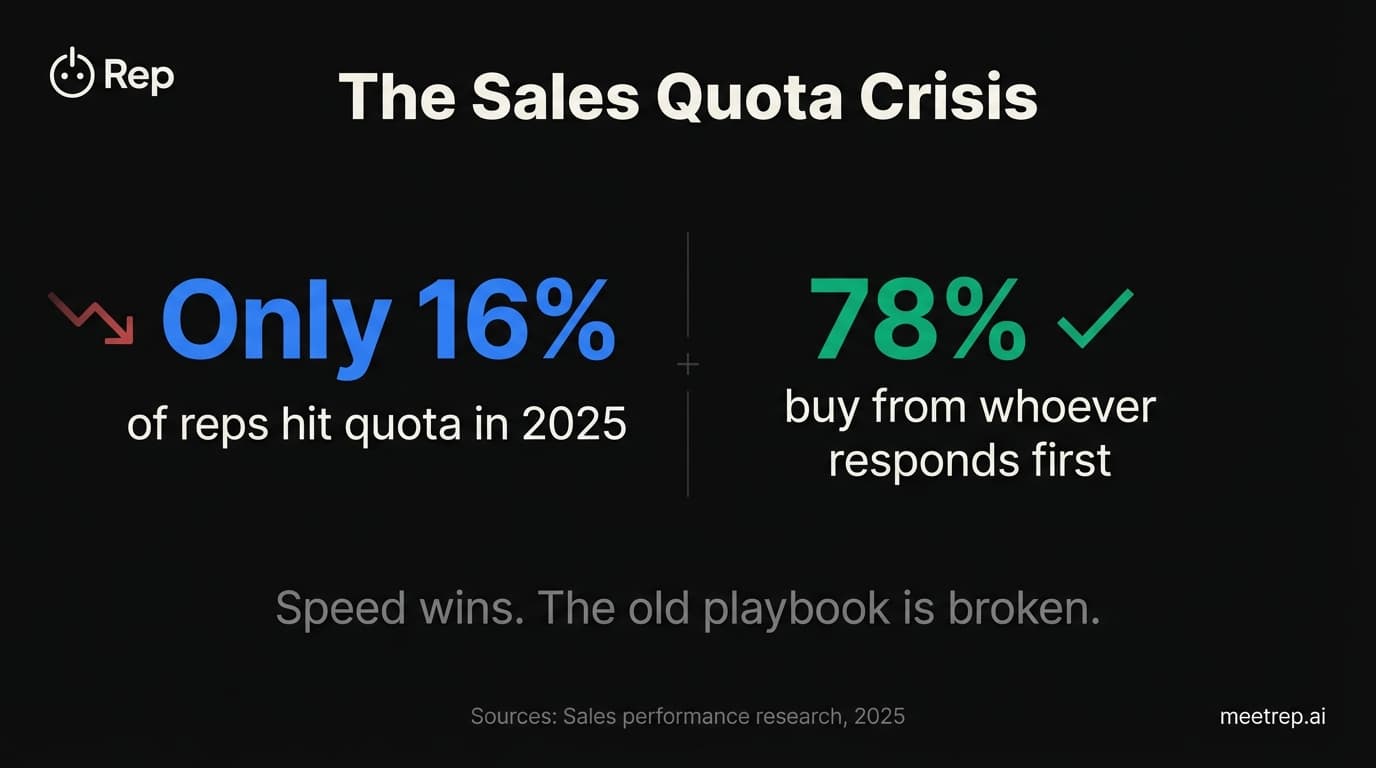
Why Autonomous Sales Software is the Future of B2B Sales (And Why the Old Playbook is Dead)
B2B sales is at a breaking point with quota attainment at 46%. Discover why autonomous 'Agentic AI' is the new standard for driving revenue and meeting the demand for rep-free buying.