SaaS Demo Best Practices: A Founder's Guide to Closing Deals

Executive Summary
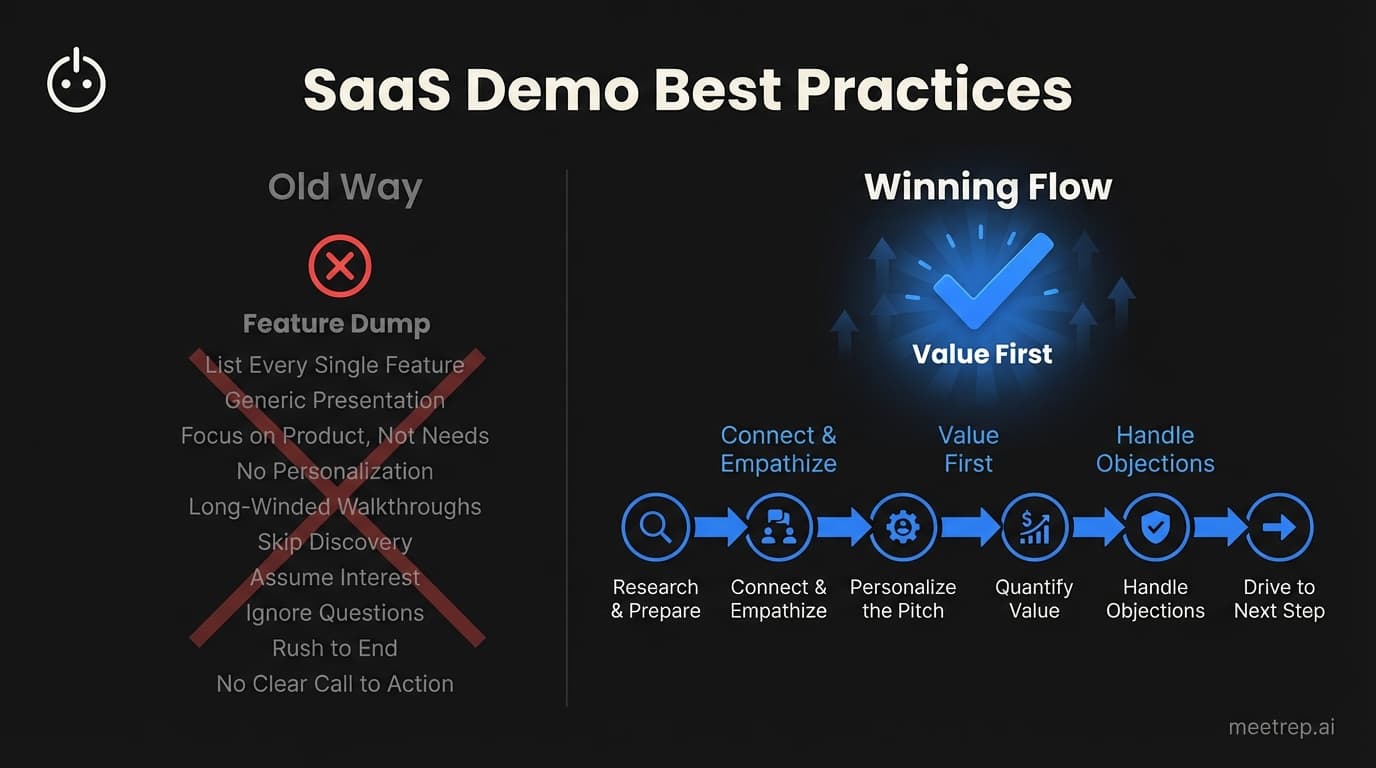
- Invert the flow: Show the "killer feature" in the first 10 minutes.
- Stop training: A demo is a sales asset, not a tutorial.
- Technical insurance: Always have a local video backup for when (not if) the wifi fails.
- Automate the repetitive: Use AI for top-of-funnel discovery to save your AEs for real deals.
I’ve sat through thousands of demos. I’ve given hundreds. And I’ve built two companies—GoCustomer.ai and now Rep—specifically designed to fix the broken parts of the sales process.
Here is the hard truth: Most SaaS demos are painful to watch.
They are feature dumps. They are "harbor tours" where the rep clicks every single button in the sidebar while the prospect secretly checks their email. If you are losing deals that looked qualified on paper, your demo is the bottleneck.
You don't need more features. You need a better narrative.
In this guide, I’m breaking down the specific SaaS demo best practices that actually move the needle. This isn't generic advice from a textbook. These are the mechanics we used to scale, and the same logic we programmed into our AI agents at Rep.
What Are SaaS Demo Best Practices?
SaaS demo best practices are the strategic methods used to present software to prospects in a way that prioritizes business value over technical functionality. Unlike a training session, a high-converting demo focuses strictly on solving the prospect's specific pain points, ignoring features that don't directly drive a purchasing decision.
It sounds simple. Yet most founders and sales reps get this wrong.
They think the demo is their chance to show everything they've built. I get it. I’m a technical founder. When we shipped a complex feature at GoCustomer, I wanted to show it off.
Big mistake.
Your prospect doesn't care about your engineering complexity. They care about their problem. If you spend 45 minutes showing them how the settings menu works, you’ve lost them.
Key Insight: The goal of a demo is not to teach the prospect how to use the software. The goal is to prove that the software solves their problem.
The "Great Filter" Structure
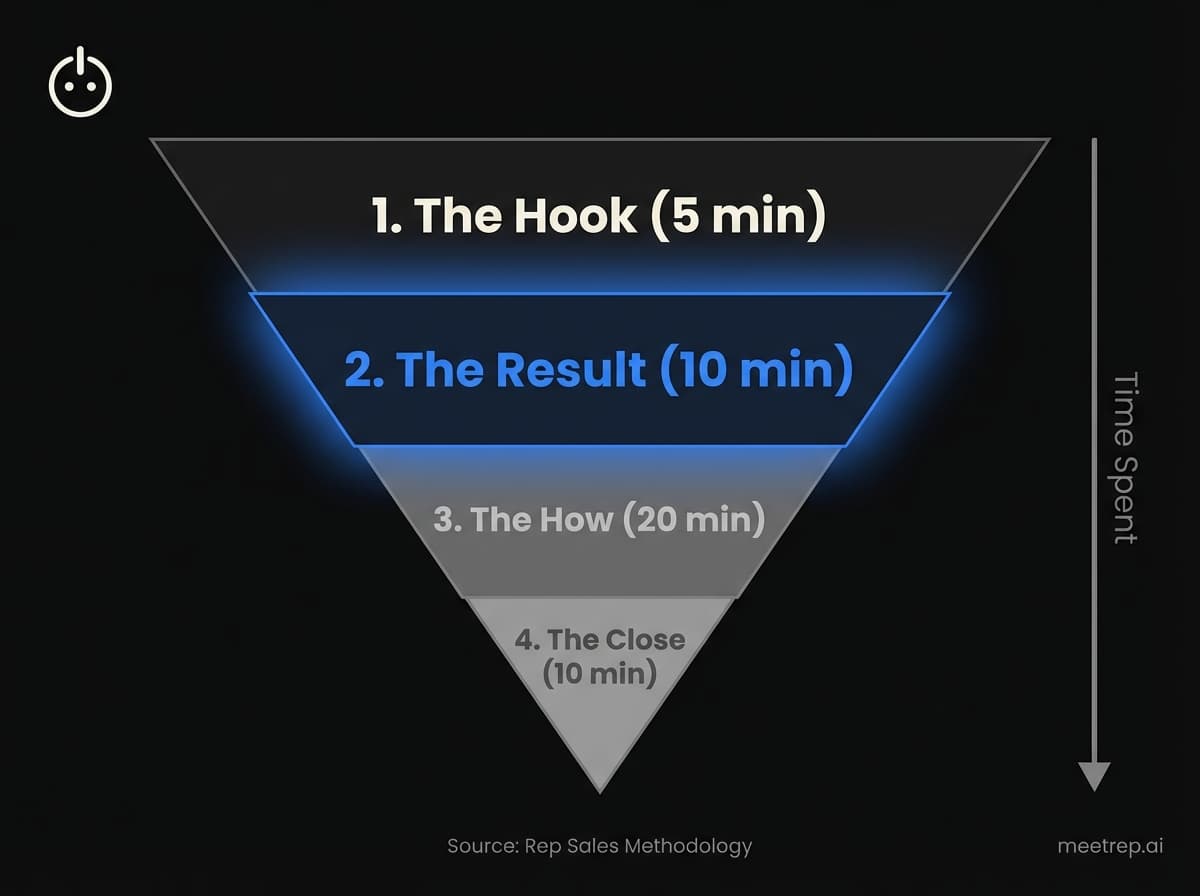
Most teams structure their demos chronologically. They start with the login screen, then the dashboard, then the setup, and finally—40 minutes later—they show the result.
This is backward.
SaaS demo best practices dictate that you must "invert the pyramid." You have the prospect's highest attention at the start of the call. Don't waste it on housekeeping.
Here is the structure that works:
- The Hook (5 mins): Reconfirm the pain point. "You mentioned X is costing you Y. Is that right?"
- The Promised Land (10 mins): Show the result first. Show the dashboard fully populated. Show the report that gets them promoted.
- The "How" (20 mins): Now that they are hooked on the result, show them the 2-3 specific workflows to get there.
- The Close (10 mins): Discuss implementation, pricing, and next steps.
At GoCustomer, we saw our conversion rates jump when we stopped showing the "setup wizard" first. Nobody buys a setup wizard. They buy the outcome.
Personalization vs. Standardization
One of the biggest debates in sales is whether to script the demo or improvise.
If you script it too tightly, you sound robotic. If you improvise, you risk rambling or missing key value props.
My take? You need a "Modular Framework."
You should have a standard "chassis" for your demo—the opening, the value proposition, and the close should be consistent. But the "payload"—the specific features you show—must be swapped out based on discovery.
Here is how we balance it:
| Demo Element | Approach | Why? |
|---|---|---|
| The Narrative | Standardized | Ensures consistent messaging across all reps. |
| The Data | Personalized | Seeing their company name/logo builds trust instantly. |
| Feature Selection | Personalized | Only show features that solve the pain points mentioned in discovery. |
| The CTA | Standardized | Always drive to the same next step (pilot, contract, etc.). |
What we learned at GoCustomer: We tried to fully script our SDRs early on. It was a disaster. They couldn't handle objections because they were too focused on memorizing lines. We shifted to "Talk Tracks"—bullet points for key features—and performance improved immediately.
Handling the "Live Demo Curse"
If you build software, you know the rule: It works perfectly until you show it to a prospect.
Then the server hangs. Or a 500 error pops up. Or your wifi drops.
I’ve been there. You start sweating. The silence on the Zoom call gets awkward. How you handle this moment determines whether you lose the deal or build trust.
The Backup Plan Checklist:
- Keep a local video: Have a crisp, 1080p recording of your demo flow on your hard drive. If the site goes down, switch to the video immediately. "Looks like the internet gods are angry, but let me walk you through the flow right here."
- Static Screenshots: Keep a slide deck with screenshots of key screens.
- The "Pre-Loaded" Tabs: Open every tab you need before the call starts. Don't rely on load times during the call.
When a bug happens—and it will—don't apologize profusely. Don't blame engineering. Just say, "Ah, looks like a glitch in our demo environment. Let me show you what the output looks like here," and switch to your backup. Move on.
Confidence matters more than perfection.
When to Automate Your Demos
This is the part I’m most passionate about. Not just because I’m building Rep, but because I saw the inefficiency firsthand.
Your Account Executives (AEs) are expensive resources. If they are spending 20 hours a week giving the exact same "Intro to Platform" demo to unqualified leads, you are burning cash.
There is a shift happening. Buyers want to see the product now. They don't want to wait 4 days for a scheduled slot.
We built Rep to handle this specific gap. It's an AI that joins the call, shares its screen, and navigates the product just like a human would.
My recommendation:
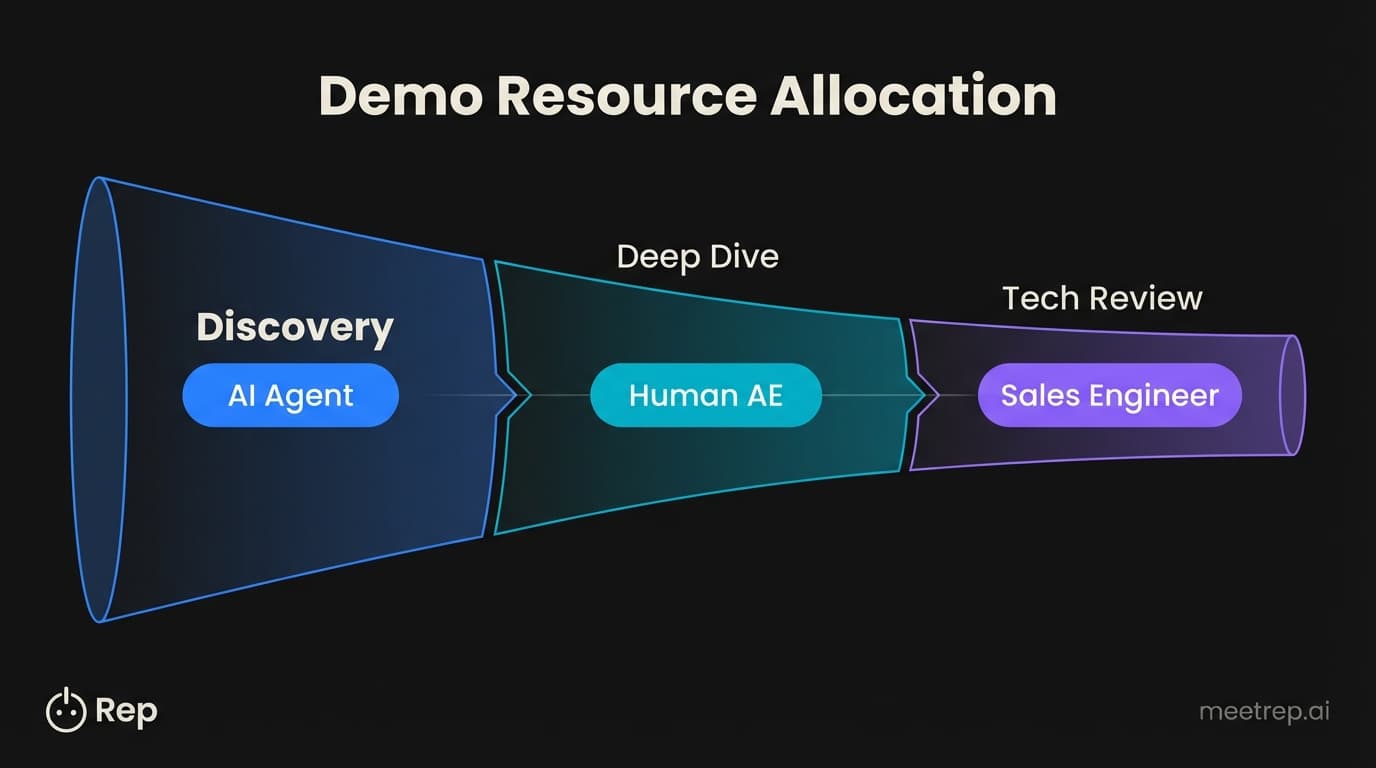
- Top of Funnel (Discovery): Use automation/AI. Let the prospect see the product immediately. If they qualify, move them to a human.
- Middle of Funnel (Deep Dive): Use a human AE. This is where relationship building happens.
- Bottom of Funnel (Technical Review): Use a Sales Engineer.
Why we built Rep this way: We noticed that standard "interactive demos" (the click-through HTML ones) felt fake. Buyers knew they were in a sandbox. We architected Rep to control a real browser in the cloud. It logs into the actual app. That authenticity matters.
Common Mistakes That Kill Deals
We analyzed thousands of calls to understand why deals stall. It's rarely because the product lacks a feature. It's usually a process failure.
Here are the silent killers and how to fix them:
| The Mistake | Why it Kills Deals | The Fix |
|---|---|---|
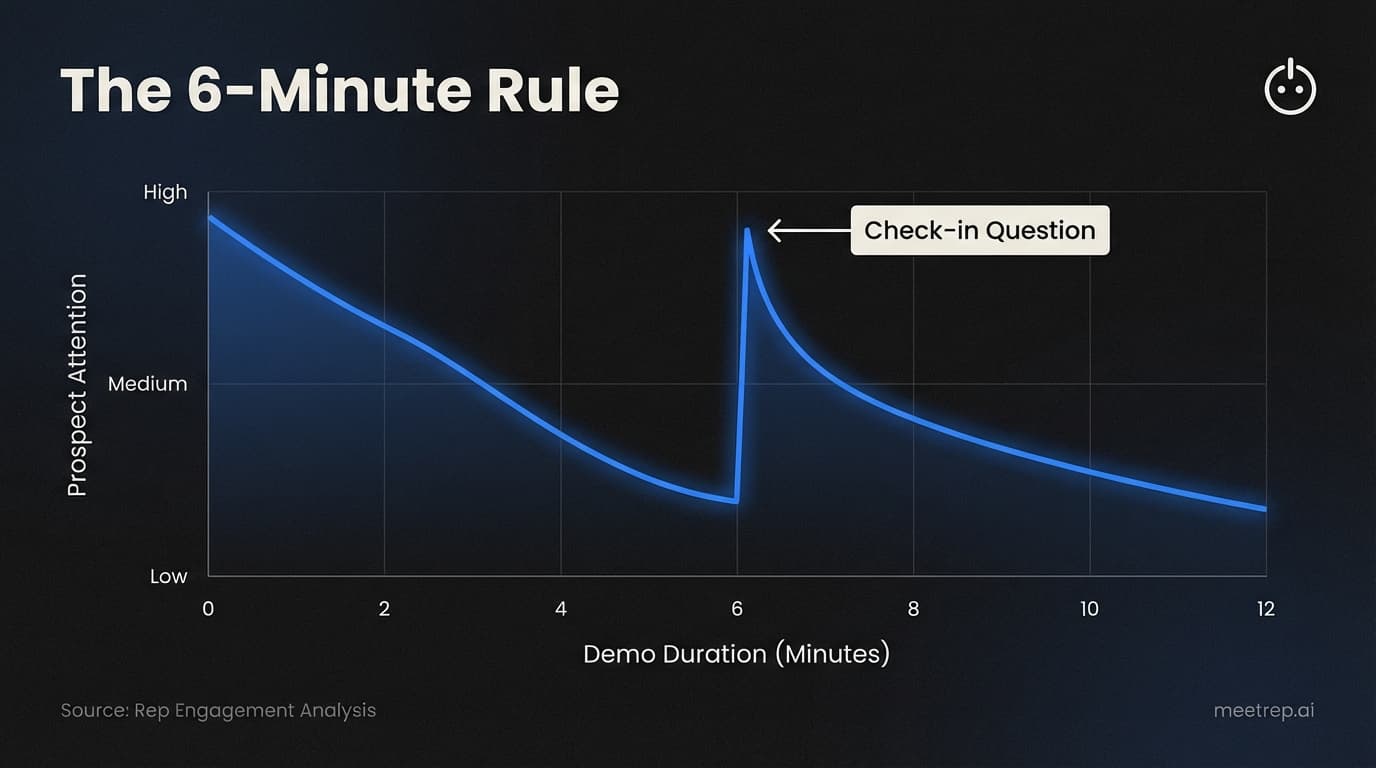
| The "Show Up and Throw Up" | Talking for 45 minutes straight induces cognitive overload. | The 6-Minute Rule: Stop every 6 minutes. Ask a verification question like, "Does this align with how your team handles X?" |
| Answering "Yes" to Integration Questions | "Does it integrate with Salesforce?" -> "Yes." This is weak and ends the conversation. | Dig Deeper: "Yes, we have a native sync. How are you currently getting data into Salesforce?" Find the pain behind the question. |
| The Weak Close | Ending with "Let us know what you think" leaves the ball in their court. | The Assumptive Close: "Based on this, we could save you 10 hours a week. Does it make sense to set up a technical trial next Tuesday?" |
Hot take: Most "objections" aren't real. They are polite ways to get you off the phone because you bored them. If you keep the demo tight and value-focused, objections disappear.
The Bottom Line
Demos are where the rubber meets the road. You can have great marketing and a great product, but if the demo flops, revenue stalls.
Stop treating your demo like a training session. Treat it like a curated tour of a better future for your prospect.
Start with the value. Be ready for bugs. And don't be afraid to let AI handle the repetitive work so your humans can focus on closing.
If you want to see how we’re solving the consistency and scale problem with AI, take a look at Rep. We’re changing how software is sold, one demo at a time.

Nadeem Azam
Founder
Software engineer & architect with 10+ years experience. Previously founded GoCustomer.ai.
Nadeem Azam is the Founder of Rep (meetrep.ai), building AI agents that give live product demos 24/7 for B2B sales teams. He writes about AI, sales automation, and the future of product demos.
Frequently Asked Questions
Table of Contents
- What Are SaaS Demo Best Practices?
- The "Great Filter" Structure
- Personalization vs. Standardization
- Handling the "Live Demo Curse"
- When to Automate Your Demos
- Common Mistakes That Kill Deals
- The Bottom Line
Ready to automate your demos?
Join the Rep Council and be among the first to experience AI-powered demos.
Get Early AccessRelated Articles
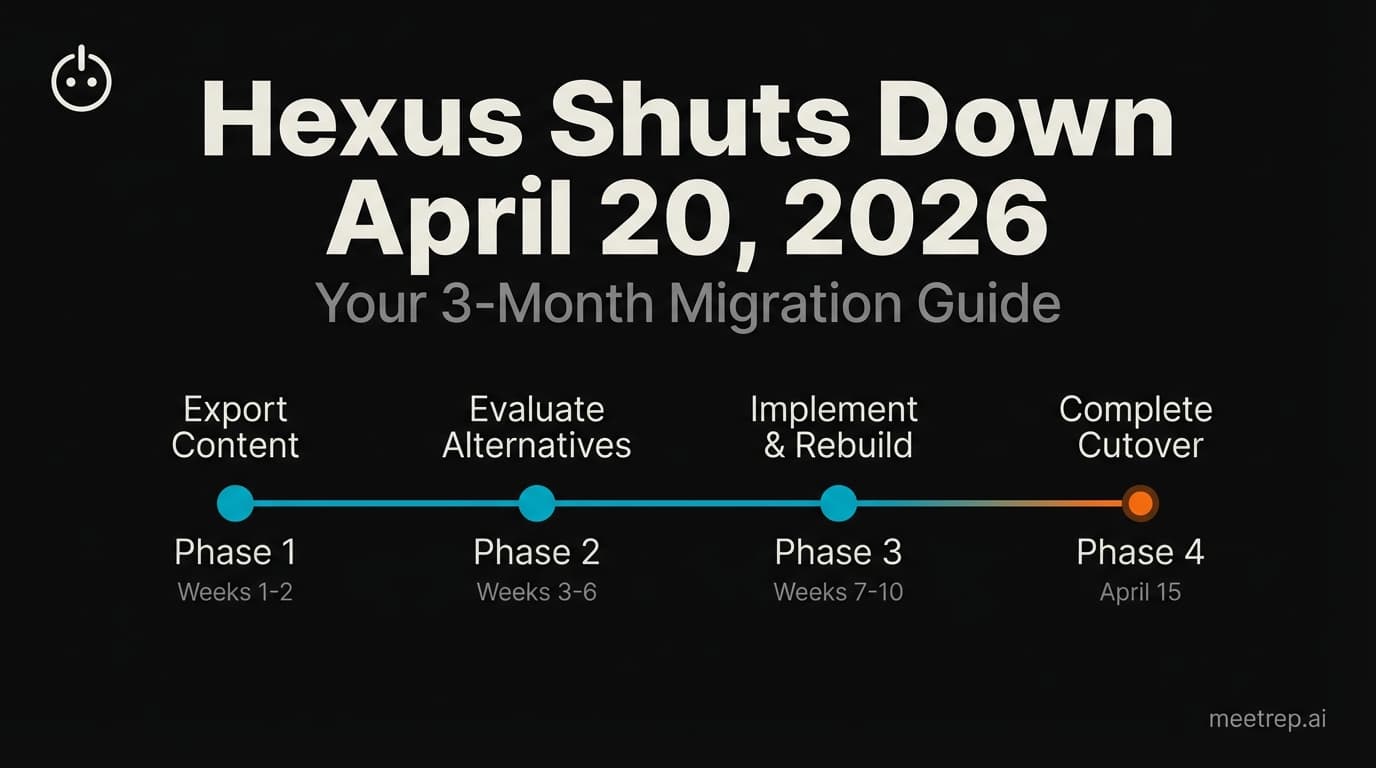
Hexus Acquired by Harvey AI: Congrats & What It Means for Demo Automation Teams
Hexus is shutting down following its acquisition by Harvey AI. Learn how to manage your migration and discover the best demo automation alternatives before April 2026.
Why the "Software Demo" is Broken—and Why AI Agents Are the Future
The traditional software demo is dead. Discover why 94% of B2B buyers rank vendors before calling sales and how AI agents are replacing manual demos to scale revenue.
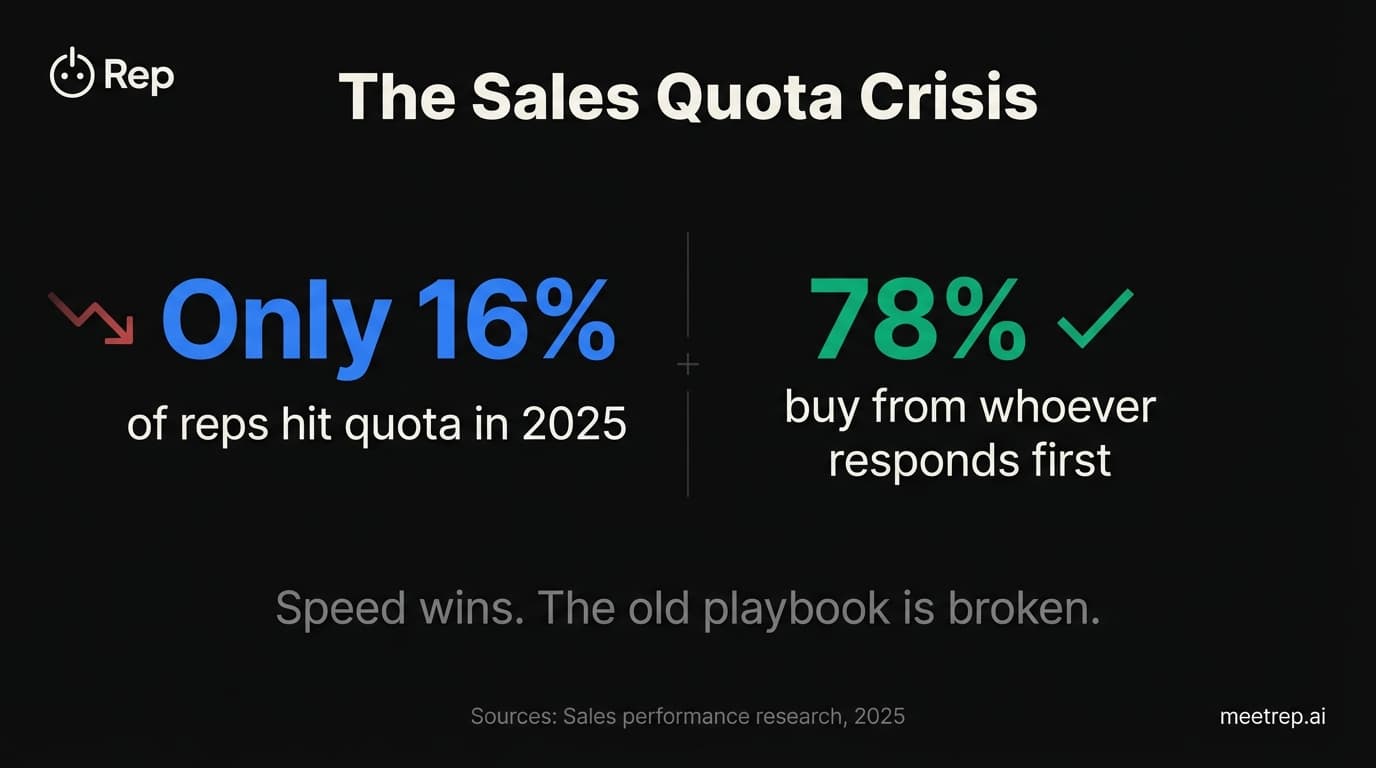
Why Autonomous Sales Software is the Future of B2B Sales (And Why the Old Playbook is Dead)
B2B sales is at a breaking point with quota attainment at 46%. Discover why autonomous 'Agentic AI' is the new standard for driving revenue and meeting the demand for rep-free buying.