LinkedIn Automation Tools: The Complete Guide for SDR Leaders (2025)

Executive Summary
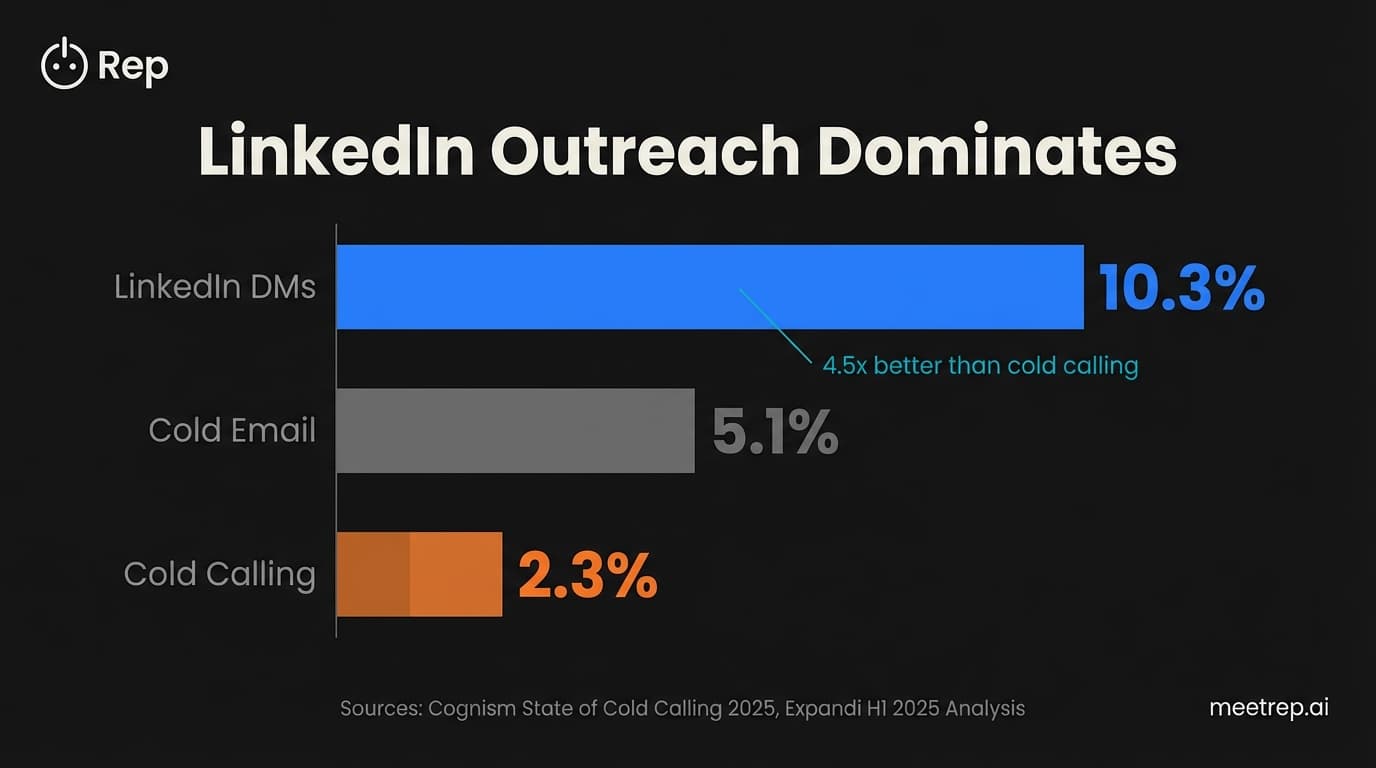
- LinkedIn outreach gets 10.3% response rates vs 5.1% for cold email—101% better
- Cloud-based tools (Expandi, HeyReach, Dripify) are safer than browser extensions
- Stay under 25 connection requests/day for established accounts; 10-15/day for new ones
- The real bottleneck isn't booking meetings—it's running demos fast enough to close them
- Best overall value: Dripify ($39/mo) or Apollo ($49/mo) for most teams
Your cold calls are dying. I'm not being dramatic—the numbers are brutal. Cold calling success rates dropped to 2.3% in 2025, down from 4.82% just a year earlier, according to Cognism's State of Cold Calling report. That's a 52% collapse in twelve months.
Meanwhile, LinkedIn DM response rates sit at 10.3%—more than double cold email's 5.1%, per Expandi's H1 2025 analysis of 70,000+ campaigns. So you need LinkedIn automation tools. But here's what nobody tells you: 64% of SDRs still missed quota in 2025. The tools exist. The results don't always follow.
I've been building sales automation products since GoCustomer.ai, and I can tell you the problem isn't usually the tool. It's how teams implement them—and what they ignore after the meeting gets booked.
What Are LinkedIn Automation Tools?
LinkedIn automation tools are software platforms that handle repetitive prospecting tasks—sending connection requests, follow-up messages, and profile views—at scale. They range from simple browser extensions to sophisticated cloud platforms that mimic human behavior to avoid detection.
Here's the tension: LinkedIn explicitly prohibits automation in their User Agreement (Section 8.2). Yet an entire industry exists to work around this. The enforcement is inconsistent and detection-based, creating a gray area where "safe" tools thrive while risky ones get accounts banned.
The Data: LinkedIn generates 80% of B2B social media leads, according to DemandSage's compilation of LinkedIn statistics. Ignoring this channel means ignoring where your buyers actually are.
The tools fall into three categories:
Cloud-based platforms run on external servers with dedicated IPs. LinkedIn can't detect DOM modifications because there's no browser extension to detect. Examples: Expandi, Dripify, HeyReach, Zopto.
Browser extensions run inside Chrome or Firefox. They're cheaper but riskier—LinkedIn can detect the code injections. Examples: Octopus CRM, older Waalaxy versions.
Desktop applications run locally and emulate human mouse movements. Better than extensions, worse than cloud. Example: Linked Helper.
The architectural difference matters. When you run a browser extension, you're modifying LinkedIn's page code on your computer, using your residential IP address. LinkedIn's detection systems flag both. Cloud tools use dedicated IPs and operate independently of your browser—LinkedIn sees activity that looks human because it comes from infrastructure built to look human.
Is LinkedIn Automation Safe in 2025?
Sometimes. But not the way most vendors claim.
Let me be direct: no tool is "100% safe." Anyone who tells you otherwise is lying. LinkedIn's ToS prohibit all automation. The question isn't whether you're technically violating the rules—you are. The question is whether you'll get caught.
Common mistake: Teams blast 50+ connection requests on day one with a new account. LinkedIn's systems flag the sudden activity spike immediately. Start slow. Build patterns.
The 2025 security updates added aggressive identity verification. LinkedIn now requests government-issued ID for suspicious accounts. This isn't a permanent ban—submit your ID and you're typically restored in 2-3 days. But it's a hassle, and it can tank your prospecting momentum.
Here's what actually determines safety:
| Factor | Safer | Riskier |
|---|---|---|
| Tool type | Cloud-based | Browser extension |
| IP address | Dedicated/data center | Your residential IP |
| Activity pattern | Gradual, randomized | Sudden spikes |
| Daily volume | Under 25 requests | Over 30 requests |
| Account age | 6+ months | Under 3 months |
Dux-Soup's safety documentation notes they've operated since 2015 without a single reported permanent ban. That's 10 years of learning LinkedIn's detection triggers. But they also warn that "some Cloud LinkedIn automation tools operate a browser in what is called 'Headless mode'... And this CAN be detected by LinkedIn."
Hot take: The cloud vs. browser debate is overhyped. Honestly, I've seen teams get restricted using "safe" cloud tools because they pushed volume too hard. And I've seen careful operators run browser extensions for years without issues. Your behavior matters more than your architecture.
The most common 2025 restriction is identity verification, not permanent bans. If you get flagged, don't panic. Submit the ID, wait 48-72 hours, and you're back. The real danger is repeat violations over months—that's what triggers permanent bans.
How to Automate LinkedIn Outreach Without Getting Banned
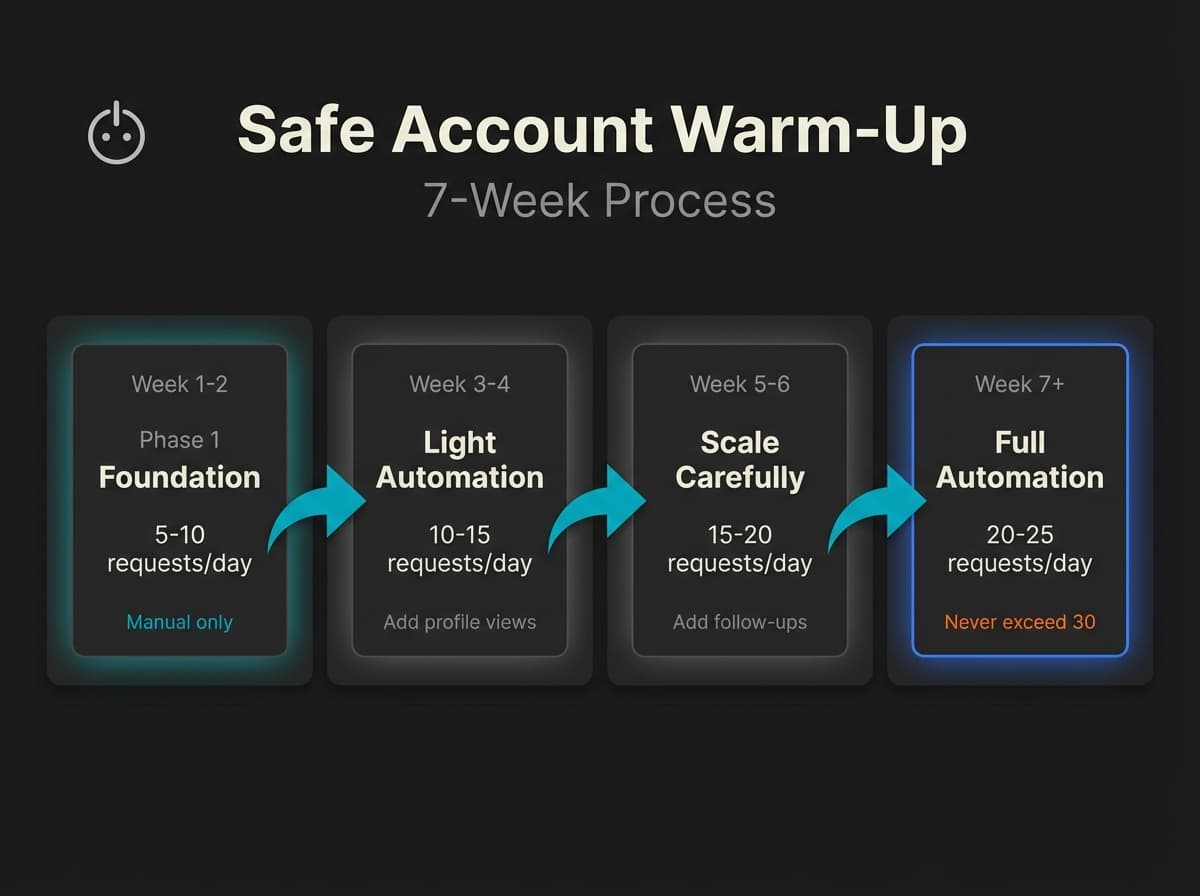
This is the playbook we developed at GoCustomer.ai after watching customers get burned by aggressive automation. It's conservative. It works.
Week 1-2: Build Your Foundation (Manual Only) Send 5-10 personalized connection requests per day. Yes, by hand. Accept incoming requests. Like and comment on 5-10 posts daily. Join 2-3 relevant groups. Update your profile so it looks active.
The goal here isn't volume—it's establishing a "normal human" baseline. LinkedIn's systems learn what's typical for your account. Sudden changes from that baseline trigger flags.
Week 3-4: Introduce Light Automation Increase to 10-15 requests per day. Start automated profile views (50-100/day max). Keep up the manual engagement—likes, comments, group activity.
Week 5-6: Scale Carefully Now you can push to 15-20 requests per day. Introduce automated follow-up messages for connection acceptances only. Profile views can go to 150-200/day.
Week 7+: Full Automation (With Limits) Scale to 20-25 requests per day. Never exceed 30. Run full message sequences. Monitor your acceptance rate—if it drops below 30%, pause and refine your targeting.
The Data: Personalized connection requests get 9.36% reply rates vs 5.44% for generic ones, according to Belkins/Expandi research. That's a 72% improvement just by adding a relevant comment beyond "{firstName}."
Safe Daily Limits (Established Accounts)
| Activity | Free Account | Premium/Sales Nav | New Account (<6mo) |
|---|---|---|---|
| Connection requests | 15-20/day | 25-30/day | 10-15/day |
| Messages | ~100/week | ~150/week | Start at 50% |
| Profile views | 150-300/day | 300-500/day | Stay at 50% |
| InMails | N/A | 50/month | 10-15/day max |
One more thing: withdraw pending invites after one week. Requests that sit in "pending" forever signal spam to LinkedIn. Clean them out regularly.
The 10 Best LinkedIn Automation Tools Compared
I've used most of these tools directly or watched closely as customers implemented them. Here's my honest assessment.
Quick Comparison: Top 5
Full Tool Breakdown
HeyReach ($79/sender) is the agency favorite. Its killer feature is account rotation—spread 100 daily requests across 4 accounts instead of pushing one account to its limit. The unified inbox lets you manage conversations across multiple LinkedIn profiles from one dashboard. If you're running outreach for clients or scaling a team past 10 SDRs, this is your pick.
Expandi ($99/mo) is the safety-first choice. Dedicated IPs, smart limits that automatically throttle when they detect risk, and a decade of learning LinkedIn's triggers. More expensive than Dripify, but you're paying for peace of mind. Best for mid-size teams who can't afford account restrictions.
Dripify ($39/mo) offers the best value for most teams. The visual drag-and-drop sequence builder is genuinely good—your SDRs can set up campaigns without touching code. Analytics are solid. Safety is "medium-high"—not as paranoid as Expandi, but reasonable with proper limits.
What we learned at GoCustomer: Dripify's A/B testing claim is misleading. You don't get true split testing—you manually divide contacts across two campaigns. Not a dealbreaker, but set expectations correctly.
Apollo ($49/mo) combines data enrichment with automation. You get contact finding, email verification, and LinkedIn outreach in one platform. The automation features are secondary to the data, but for SMBs who want one tool instead of three, it's hard to beat. Highest G2 rating in this list at 4.7/5.
Lemlist ($69/mo) excels at personalized multichannel campaigns. Custom images, liquid syntax personalization, email + LinkedIn + calls in coordinated sequences. The devlo case study shows what's possible: 75%+ open rates and up to $50K deals closed using custom images. If your ICP responds to creative outreach, Lemlist is worth the premium.
Zopto ($215/mo) targets enterprises. High price, high-touch support, agency-level features. Only consider this if you're managing 20+ accounts or need white-glove onboarding.
Octopus CRM ($9.99/mo) is the budget option. It's a browser extension, so inherently riskier, but at $10/month it's accessible to solo founders and early-stage SDRs testing LinkedIn as a channel. Don't push volume. Treat it as training wheels.
Linked Helper ($15/mo) is a desktop application favored by recruiters. Better safety than browser extensions because it emulates actual mouse movements. Power users appreciate the control.
Clay ($134/mo) isn't really a LinkedIn automation tool—it's data orchestration for RevOps teams. But its Claygent feature represents the agentic future: AI that reasons through workflows rather than following scripts. Technical teams only.
Reply.io ($59/mo) is another multichannel platform with solid AI capabilities. Jason AI can draft personalized messages. Good HubSpot integration. LinkedIn features are secondary to email.
My Recommendation by Team Size
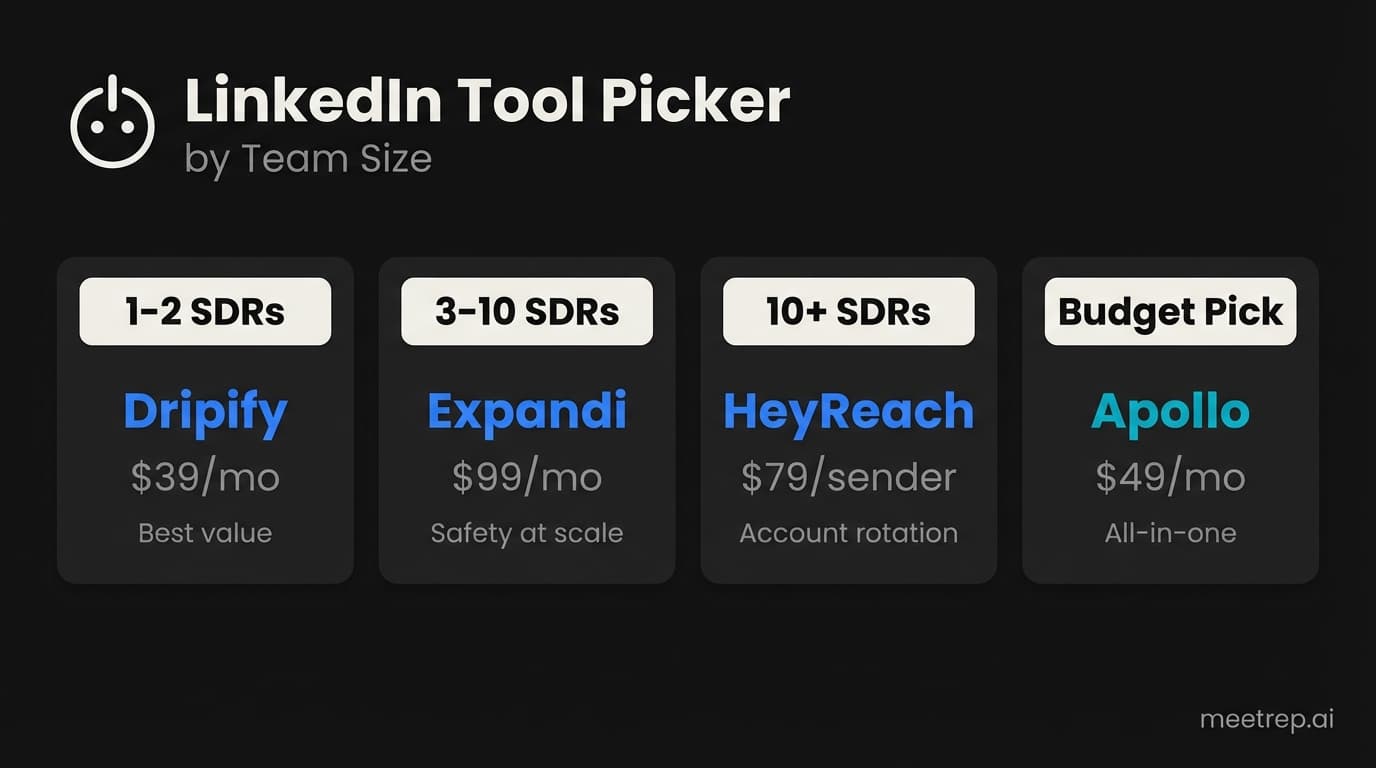
| Team Size | My Pick | Why |
|---|---|---|
| 1-2 SDRs | Dripify ($39) | Best value, good enough safety |
| 3-10 SDRs | Expandi ($99) | Safety becomes critical at scale |
| 10+ SDRs | HeyReach ($79/sender) | Account rotation essential |
| Agencies | HeyReach | Unified inbox, client management |
| Budget-constrained | Apollo ($49) | All-in-one eliminates other tools |
Real Results: What Companies Actually Achieve
Let me be clear about selection bias: these case studies are vendor-published. They represent best-case scenarios with optimized implementations. Your results will vary based on your ICP, messaging, and execution.
That said, the numbers show what's possible:
One Click Marketing used Dripify to transform their LinkedIn outreach. Connection acceptance rates jumped from 10% to 33%—a 3x improvement. Meetings booked increased 5x in under two months. The campaign generated over $100K in attributed revenue with a claimed 10x ROI.
The Data: According to the vendor-published case study, One Click Marketing achieved 33% connection acceptance and $100K+ revenue. These are optimized results—treat them as "what's possible," not "what's typical."
This one surprised me: devlo, a lead generation agency, used Lemlist with custom images and deep personalization. One campaign hit 70% response rate from 285 prospects. They've booked 900+ meetings for clients and closed deals up to $50K using visual personalization.
Expandi itself grew to $8M ARR using its own tools combined with content marketing, according to Quoleady's analysis. They eat their own cooking—that's meaningful validation.
The Gap Nobody Talks About: What Happens After You Book the Meeting
Here's my actual frustration with the LinkedIn automation conversation: everyone obsesses over booking meetings. Connection rates, reply rates, messages sent. But what happens after the meeting is booked?
You've automated outreach. You're getting 10.3% reply rates. Meetings are hitting calendars. And then... your prospects wait 3-5 days for a scheduled demo. Twenty to thirty percent no-show. The SDR spends 45 minutes on a first call. Rinse and repeat.
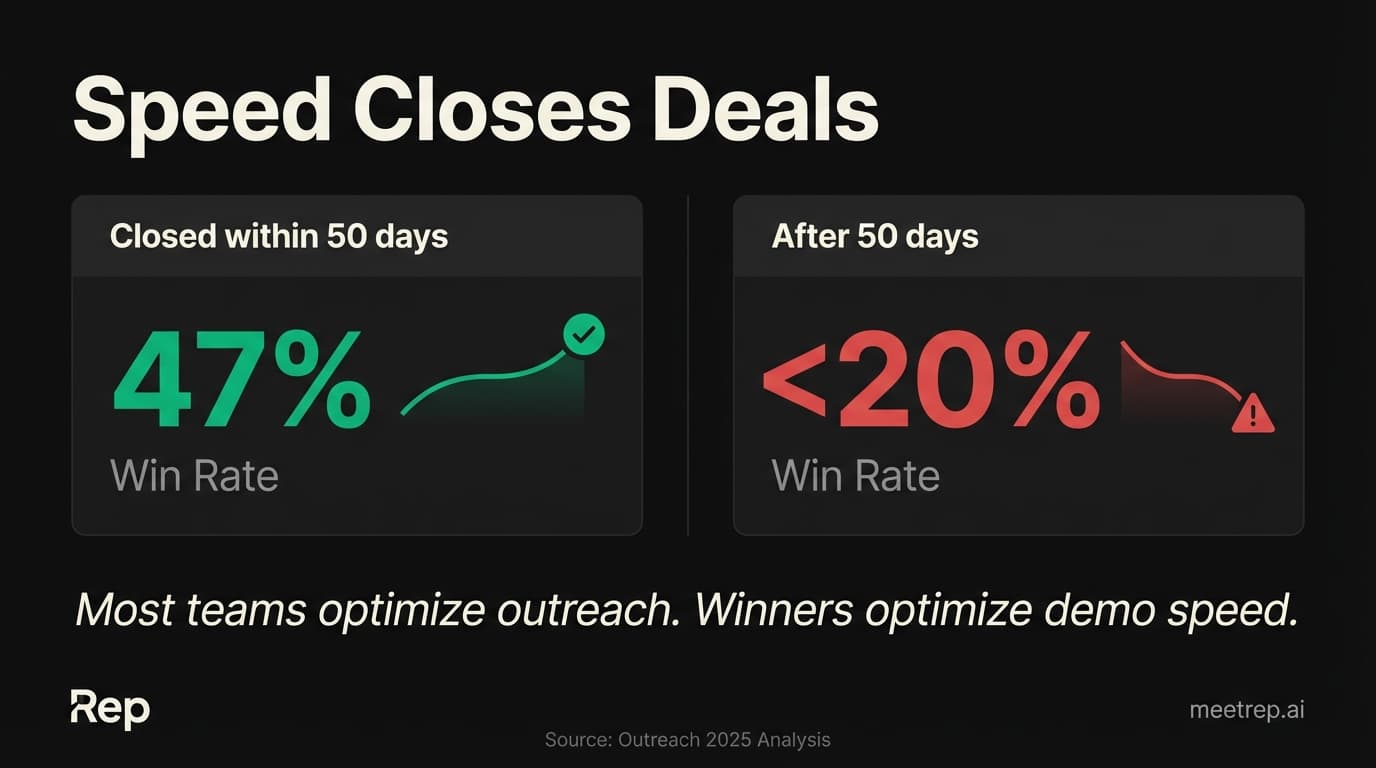
The Data: Deals closed within 50 days have a 47% win rate. After 50 days? It drops below 20%, per Outreach's 2025 analysis. Speed kills—or speed wins.
And SDRs spend only 30% of their time on actual selling. The other 70%? Admin, research, scheduling, waiting. That's why 64% missed quota in 2025. It's not a tool problem. It's a workflow problem.
LinkedIn automation solves the volume problem at the top of funnel. But the demo stage remains a bottleneck. Your Singapore prospect requests a demo at 3 AM your time. They're ready to see the product NOW—that's when intent peaks. By the time your rep's calendar opens, the urgency has faded.
At Rep, we built autonomous AI demo agents for exactly this reason. When a prospect books through LinkedIn automation and says "can I see it now?"—Rep joins the call immediately, shares its screen, and walks through your product live. No scheduling friction. No timezone constraints. Twenty-four-seven availability.
The complete workflow looks like this: prospecting data (Apollo/Clay) → LinkedIn outreach (HeyReach/Expandi) → meeting booked → immediate demo (Rep) → close. Most teams optimize the first two steps and ignore the middle.
Building Your LinkedIn Automation Stack
Your stack depends on your team size, budget, and technical sophistication.
For 1-2 SDRs on a budget: Apollo ($49) handles data enrichment AND LinkedIn outreach. One tool, one invoice, less complexity. Add Rep when you're booking more meetings than you can demo manually.
For 3-10 SDRs: Expandi ($99) for LinkedIn outreach—safety matters more as you scale. Lemlist ($69) if you need email + LinkedIn in coordinated sequences. Rep for 24/7 demo coverage and after-hours leads.
For 10+ SDRs or agencies: HeyReach ($79/sender) for account rotation and unified inbox. Clay ($134) for data orchestration if you have RevOps resources. Rep for scalable demos without proportional headcount growth.
My recommendation: Don't buy tools in isolation. Map your complete workflow first. Where are deals getting stuck? For most teams I've worked with, the answer is somewhere between "meeting booked" and "demo completed." Fix that before optimizing your outreach tool for the fifth time.
The market is moving toward "agentic" workflows—AI systems that reason through complex tasks rather than following rigid scripts. Gartner predicts that by 2028, 60% of B2B seller work will be executed through conversational AI. The tools that integrate intelligently will win. The ones that stay siloed will fade.
The LinkedIn automation market has matured. The tools work. The question is whether your entire workflow works—from prospecting data through outreach, meeting booking, demos, and close.
My take after building in this space for years: most teams are over-indexed on the outreach tools and under-indexed on what happens after someone says yes. A 10% improvement in your reply rate is nice. But a 50% reduction in time-to-demo might double your close rate.
Start with Dripify or Apollo if you're budget-conscious. Move to Expandi or HeyReach as you scale. And when you're booking more meetings than your team can handle—that's when you need to automate the demo stage too. See how Rep handles this.

Nadeem Azam
Founder
Software engineer & architect with 10+ years experience. Previously founded GoCustomer.ai.
Nadeem Azam is the Founder of Rep (meetrep.ai), building AI agents that give live product demos 24/7 for B2B sales teams. He writes about AI, sales automation, and the future of product demos.
Frequently Asked Questions
Table of Contents
- What Are LinkedIn Automation Tools?
- Is LinkedIn Automation Safe in 2025?
- How to Automate LinkedIn Outreach Without Getting Banned
- The 10 Best LinkedIn Automation Tools Compared
- Real Results: What Companies Actually Achieve
- The Gap Nobody Talks About: What Happens After You Book the Meeting
- Building Your LinkedIn Automation Stack
Ready to automate your demos?
Join the Rep Council and be among the first to experience AI-powered demos.
Get Early AccessRelated Articles
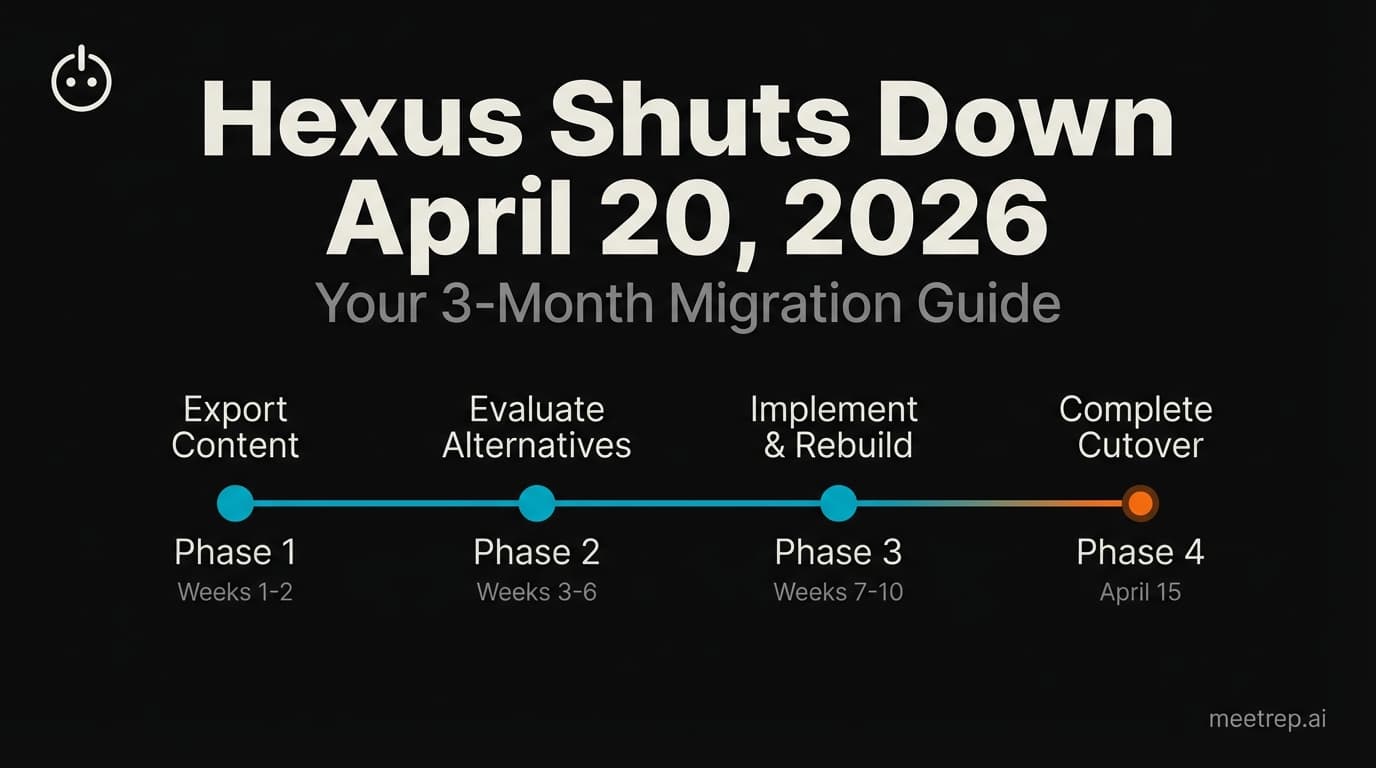
Hexus Acquired by Harvey AI: Congrats & What It Means for Demo Automation Teams
Hexus is shutting down following its acquisition by Harvey AI. Learn how to manage your migration and discover the best demo automation alternatives before April 2026.
Why the "Software Demo" is Broken—and Why AI Agents Are the Future
The traditional software demo is dead. Discover why 94% of B2B buyers rank vendors before calling sales and how AI agents are replacing manual demos to scale revenue.
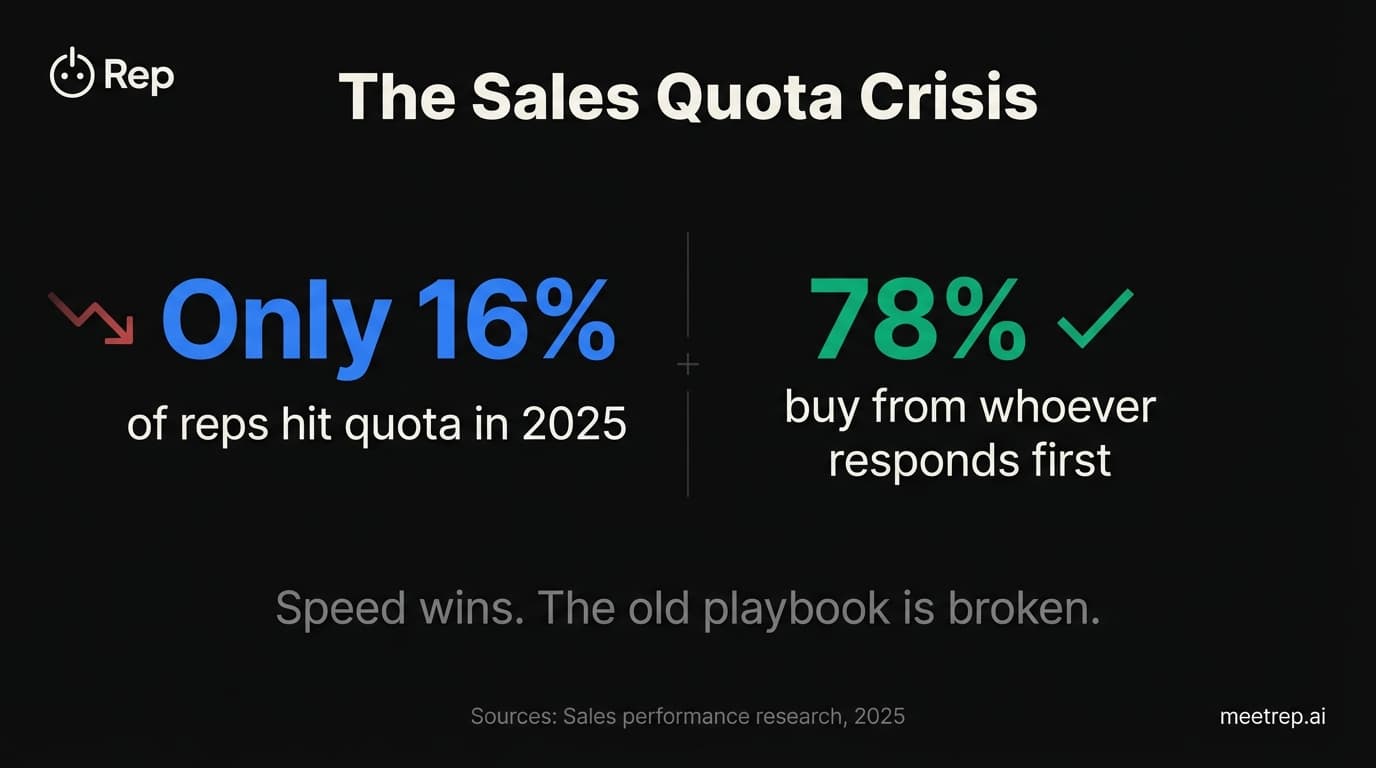
Why Autonomous Sales Software is the Future of B2B Sales (And Why the Old Playbook is Dead)
B2B sales is at a breaking point with quota attainment at 46%. Discover why autonomous 'Agentic AI' is the new standard for driving revenue and meeting the demand for rep-free buying.