How to Write a Product Demo Script That Converts

Executive Summary
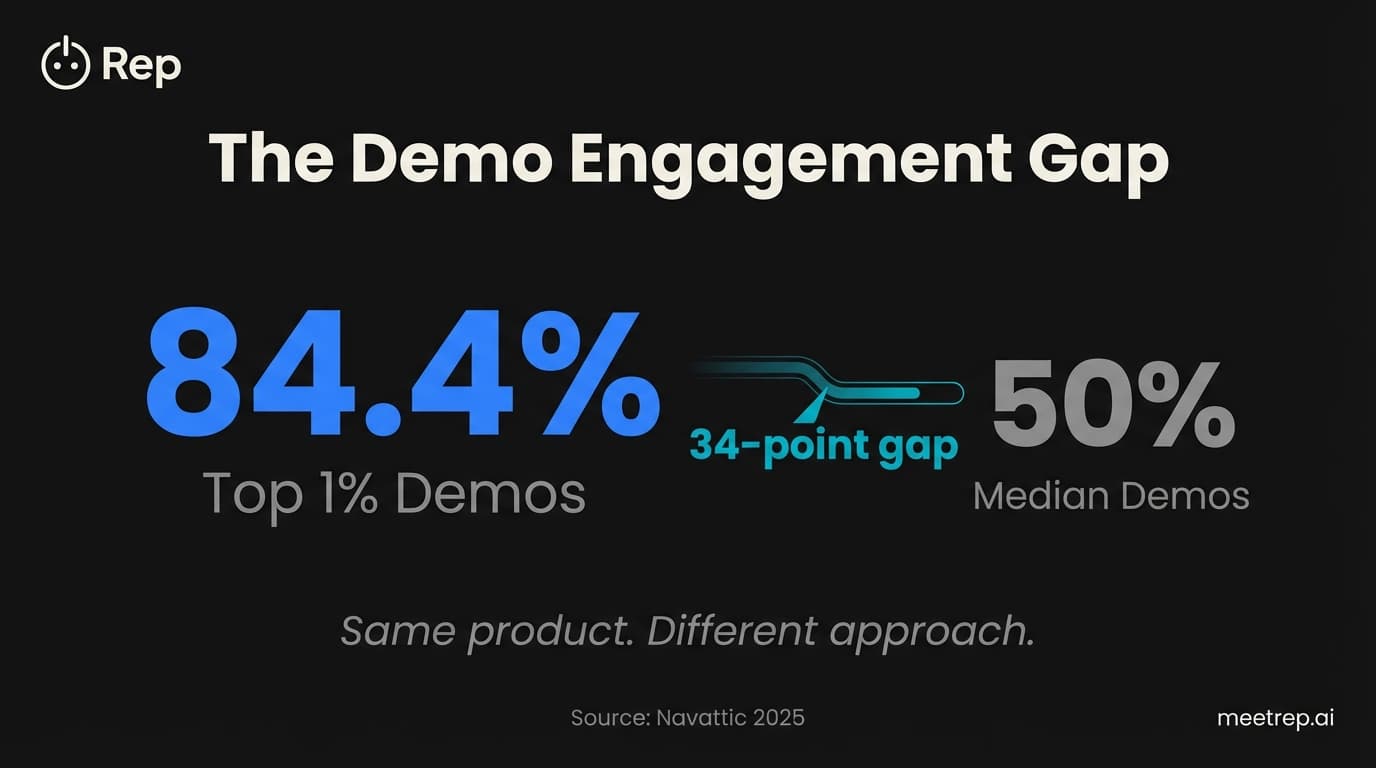
- Lead with pain, not features—top 1% demos achieve 84.4% engagement by addressing problems first
- Limit your demo to 3-5 features mapped to specific business outcomes
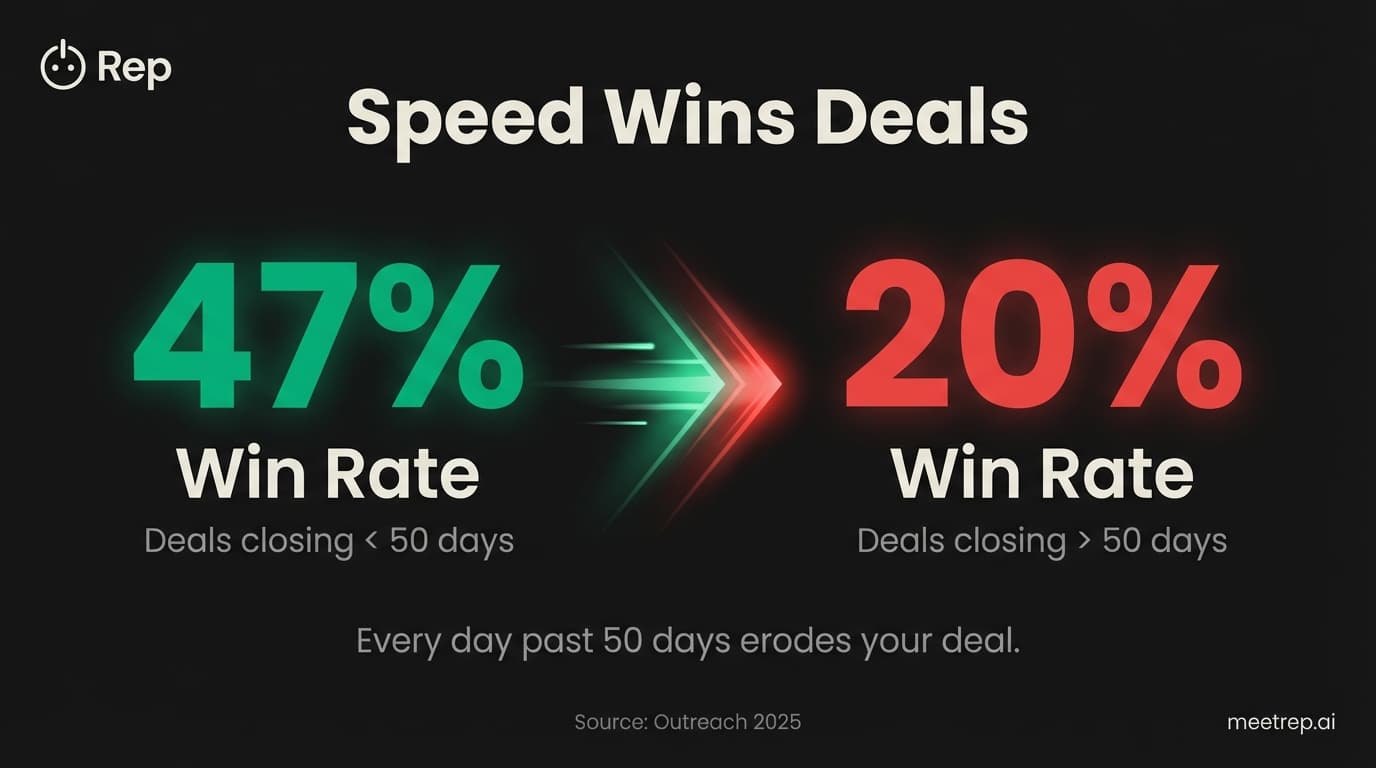
- Keep it short: deals closing within 50 days have 47% win rates vs 20% for longer cycles
- Use a time-stamped structure: 2 min pain confirmation, 15-20 min focused walkthrough, 3 min next steps
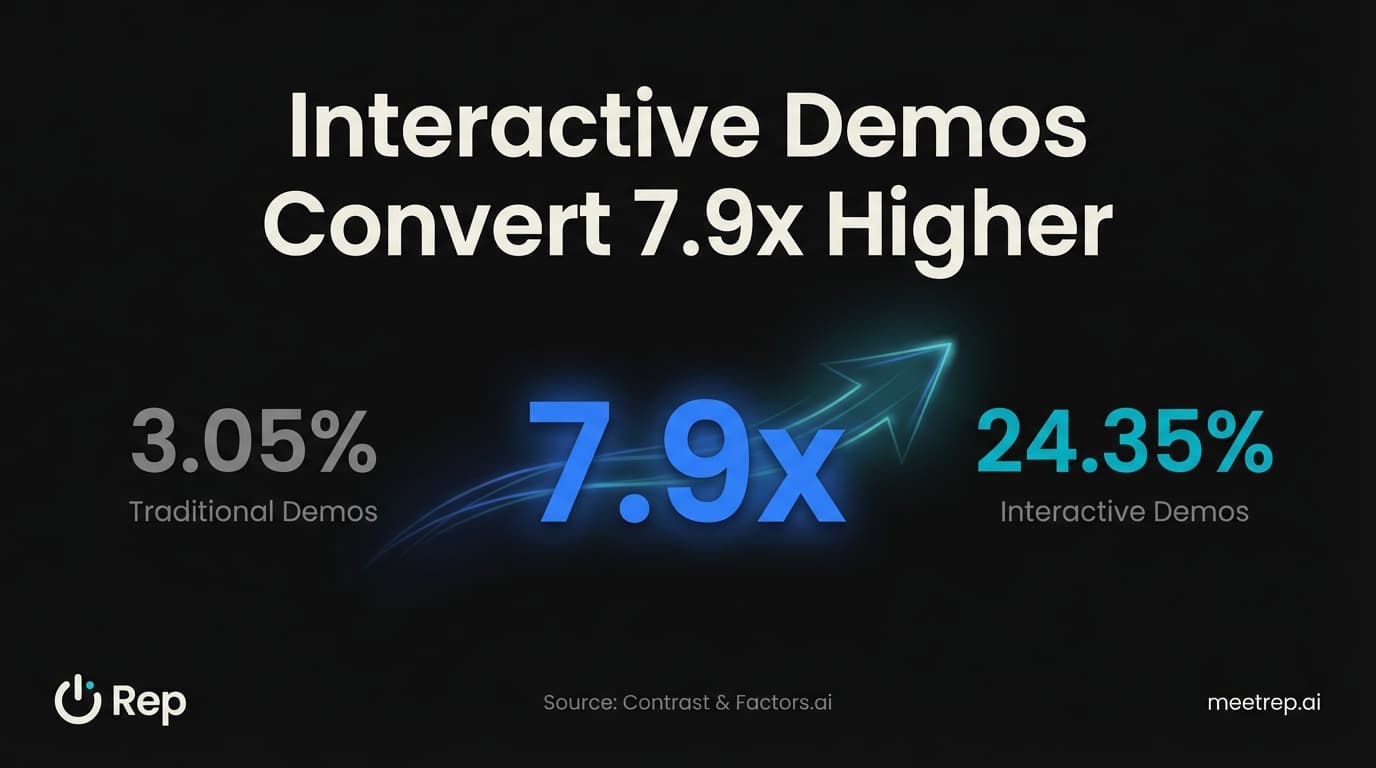
- Ungated, self-serve demos convert 7.9x higher than traditional approaches
Most product demo scripts fail before the first slide loads.
Not because the product is bad. Not because the AE lacks skill. They fail because they're built backwards—starting with features instead of the prospect's actual problem. I've watched this happen dozens of times, and I've made the mistake myself.
At GoCustomer, our early demos were feature tours. We'd show everything. Forty-five minutes of pure capability on display. And our close rate was embarrassing.
Then we changed our approach. We stopped showing features. We started solving problems. And our demos got shorter while our pipeline got fatter.
Here's exactly how to write a product demo script that converts—with the actual framework, time stamps, and talk tracks we use today.
What Is a Product Demo Script?
A product demo script is a structured guide that walks sales reps through a software demonstration, including specific talking points, feature sequences, and responses to common objections. But here's what matters: a good script isn't a word-for-word transcript. It's a framework that keeps you focused on what the prospect cares about—while giving you flexibility to adapt.
Think of it like jazz. You have the chord changes. You know where you're going. But you improvise within the structure based on what's happening in the room.
Key Insight: A demo script connects product capabilities to prospect problems. Features without context are forgettable. Features that solve specific pains close deals.
The worst scripts read like product documentation. The best ones read like a conversation about the prospect's business that happens to include your product.
Most advice about demo scripts focuses on what to say. That's only half the equation. When to say it, how much to show, and what to leave out—those decisions determine whether your demo converts or gets forgotten.
Why Most Demo Scripts Fail (And What to Do Instead)
The number one demo killer isn't poor presentation skills or product limitations. It's the feature dump.
You've seen it. You've probably done it. The AE gets excited about the product and shows everything—integration options, admin settings, reporting dashboards, that cool feature engineering just shipped. The prospect's eyes glaze over by minute twelve. Deal dies.
The Data: According to Navattic's 2025 analysis of 28,000+ demos, top-performing demos (the top 1%) achieve 84.4% engagement rates. The median? Around 50%. That 34-point gap isn't about prettier slides. It's about discipline.
Here's what separates the top 1%:
| Top 1% Demo Behavior | What Most Reps Do |
|---|---|
| Lead with pain point | Lead with product overview |
| Show 3-5 relevant features | Show 15+ features "just in case" |
| Build in pause points | Talk continuously for 20+ minutes |
| End with specific next step | End with "any questions?" |
| 12-18 demo steps | 30+ steps |
When we audited our own demos at GoCustomer, we found our average demo had 27 distinct feature mentions. Twenty-seven. Our prospects remembered maybe three.
So we cut. Ruthlessly. Our standard demo went from 27 features to 5. Completion rates jumped. And here's what surprised us: deal velocity increased too. Shorter demos meant faster decisions.
The Demo Script Structure That Actually Works
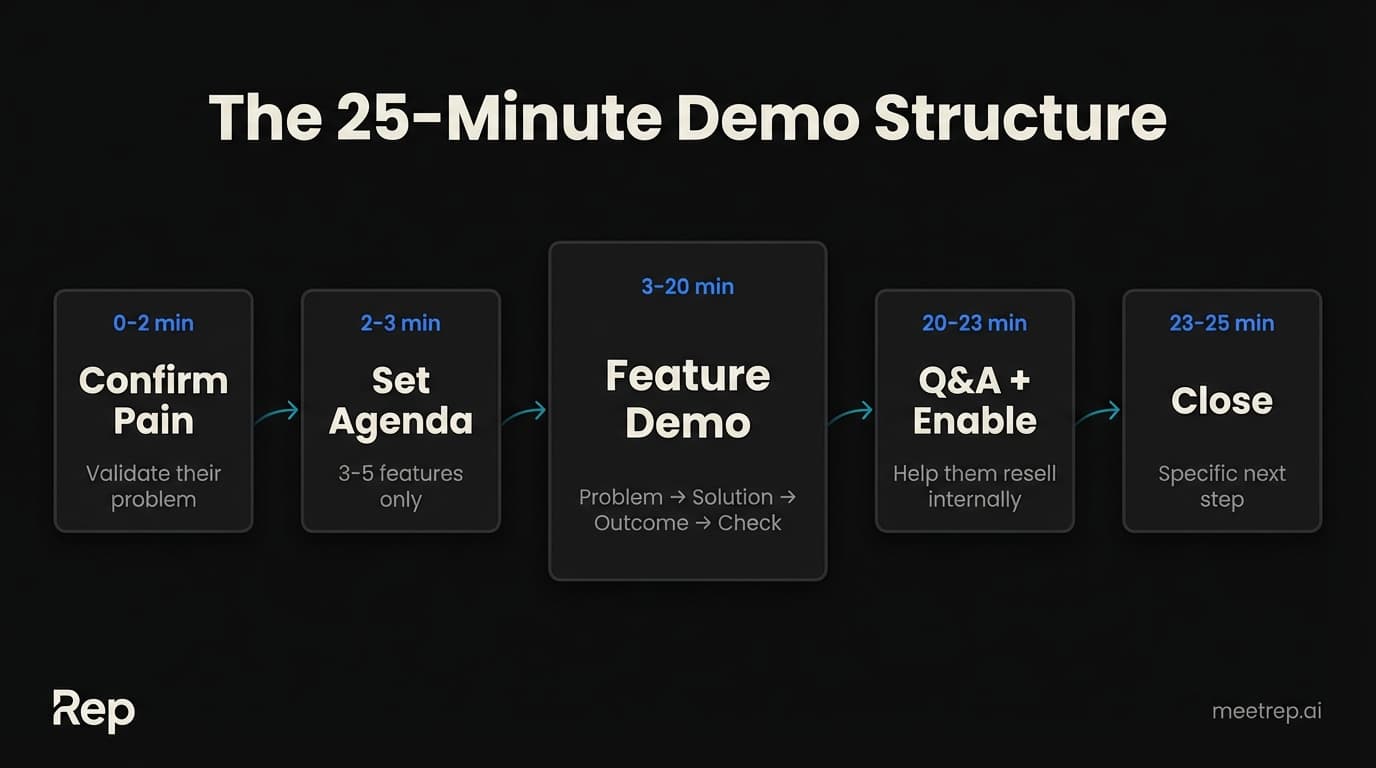
Here's the exact structure I recommend, with time stamps for a 25-minute demo. Adapt the timing for your context, but preserve the ratio.
Opening: Confirm the Pain (0:00-2:00)
Don't start with "Thanks for joining" or company background. Start with the problem.
Script example:
"Before I show you anything, I want to make sure I understand your situation. Based on our earlier conversation, [specific pain point from discovery]. Is that still accurate? Has anything changed?"
This does three things. It shows you listened. It confirms you're solving the right problem. And it sets up the entire demo as a solution to their specific challenge.
The Data:6sense's 2025 Buyer Experience Report found that 95% of winning vendors are already on the buyer's Day One shortlist. You're either solving a problem they already know they have, or you're not in the running.
Two minutes. That's it. Then move.
Agenda Setting (2:00-3:00)
Tell them exactly what you'll cover. Not everything the product does. Just what matters to them.
"Based on that, I'm going to show you three things today: [Feature A] which addresses [pain 1], [Feature B] for [pain 2], and [Feature C] which handles [pain 3]. We'll save about five minutes at the end for questions and next steps. Sound good?"
One minute. Now they know what to expect. And you've set boundaries on scope.
Core Demo: Features Mapped to Outcomes (3:00-20:00)
This is where most scripts fall apart. They describe features. They should describe transformations.
| Don't Say | Say Instead |
|---|---|
| "This is our analytics dashboard" | "This is where you'd see exactly which campaigns are driving pipeline—so you stop wasting budget on what's not working" |
| "You can customize these reports" | "Your VP wants a weekly pipeline report? You'd build it once here, and it sends automatically every Monday at 8am" |
| "Our integration connects to Salesforce" | "When a deal moves to closed-won in Salesforce, this triggers automatically—no manual work for your team" |
For each feature:
- State the problem it solves (5 seconds)
- Show the solution (60-90 seconds)
- Connect to business outcome (10 seconds)
- Check for questions (10-20 seconds)
What we learned at GoCustomer: We used to save questions for the end. Terrible idea. Prospects would sit quietly, building mental objections that never got addressed. Now we pause after every major feature. "Does this map to how you're thinking about [pain point]?" It surfaces issues early—while you can still address them.
Proof Point Insertion (Woven Throughout)
Drop customer examples throughout. Not generic "our customers love us" statements. Specific results.
"[Company name] had the same problem—their team was spending 12 hours a week on manual reporting. After implementing this, they got that down to 30 minutes. Their ops lead told me she actually took a vacation for the first time in two years."
Named companies. Specific numbers. Human details. That's what lands.
Klue, a competitive intelligence platform, generated $1M in pipeline from their interactive demo center. Their demo-to-opportunity conversion rate was 3x higher than isolated product pages. Proof that the demo itself—when done right—is a pipeline engine.
Close: The Next Step (20:00-25:00)
Don't end with "any questions?" That's a weak close. Instead:
"Based on what we've covered, it sounds like [Feature A] is the biggest priority for solving [main pain]. Here's what I'd recommend as a next step: [specific action with timeline]. Does that work for you?"
The Data:Outreach's 2025 analysis found deals closing within 50 days have a 47% win rate. After 50 days? That drops to 20%. Your close should create urgency without being pushy. Give them a reason to move now.
The Feature Trap: What to Leave Out
Here's a counterintuitive truth: what you don't show matters more than what you show.
I've sat through demos as a buyer. The ones that converted me were focused. Ruthlessly focused. They showed me three things that solved my specific problem. They resisted the temptation to mention the other forty features.
The ones that lost me? Feature parades. "And we also do this... and this is another cool thing... oh let me show you this too..." By minute twenty, I couldn't remember what made them different from the last three vendors.
My rule: If a feature doesn't directly address a pain point uncovered in discovery, it doesn't belong in the demo.
Yes, the prospect might ask about other capabilities. Great. Answer briefly. But don't volunteer features hoping something sticks.
Common mistake: Showing your "coolest" feature instead of the most relevant one. That AI-powered forecasting module might be impressive, but if the prospect's problem is pipeline visibility—not forecasting—you're showing off instead of solving.
CaseStatus, a legal tech company, reduced their sales cycle from 30+ days to 24 days after tightening their demo script. Shorter demos. Fewer features. Faster closes.
Scripting for Different Stakeholders
Look, the script for a technical buyer looks nothing like the script for an executive sponsor. If you're using one demo for all audiences, you're losing deals.
| Audience | What They Care About | Script Focus |
|---|---|---|
| End Users | "Will this make my job easier?" | Day-to-day workflow, speed, UI |
| Technical Buyers (IT, Eng) | "Will this integrate? Is it secure?" | APIs, infrastructure, compliance |
| Executives | "What's the business impact?" | ROI, time-to-value, competitive advantage |
| Champions | "How do I sell this internally?" | Clear narrative they can repeat |
That last row is critical. Your champion has to resell your product to people who weren't in the demo. If they can't articulate why you're the choice in a two-minute hallway conversation, the deal dies in committee.
My recommendation: End every demo by explicitly asking: "If your [CFO/CEO/board] asks why this solution vs alternatives, what would you tell them?" Then refine your answer together. You're scripting their internal pitch.
Adding Interactive Elements That Boost Engagement
Static demos are dying. The data is clear.
The Data:Contrast and Factors.ai's partnership study found interactive demos drive 24.35% website conversion vs 3.05% for traditional approaches—a 7.9x improvement. And Navattic's research shows 71% of top-performing demos don't gate behind a form.
What does "interactive" mean in practice?
- Let prospects click around. Don't just show—let them explore. "I'll pause here. Try clicking into that report and see what you find."
- Build decision points. "Which workflow would be most relevant to see first—the onboarding flow or the reporting setup?"
- Leave-behind demos. After the live session, send an interactive version they can share with stakeholders who weren't there.
This is one reason we built Rep. Scaling demos is hard. Maintaining quality at scale is harder. Rep uses AI to deliver live, interactive product demos 24/7—joining video calls, sharing its screen, and walking prospects through your product like your best rep would. No scheduling friction. No time zone constraints.
But whether you use AI or humans, the principle holds: passive watching converts worse than active engagement.
Demo Script Template You Can Use Today
Here's a complete template with time stamps. Adapt the language, but keep the structure.
PRE-DEMO (Before the call)
- Review discovery notes—what are their top 3 pain points?
- Prepare 3-5 features that directly address those pains
- Have 2 customer proof points ready for each feature
- Check demo environment (credentials, data, no broken flows)
0:00-0:30 — Opening Hook"Before I share my screen, I want to make sure we're focused on what matters to you. Based on our last call, you mentioned [pain point 1] and [pain point 2] were the biggest priorities. Is that still accurate?"
0:30-1:30 — Confirm and Probe"Got it. Tell me more about [biggest pain]. How is that impacting [team/revenue/time]?"
1:30-2:30 — Set Agenda"Perfect. Here's what I'll show you today: [Feature A] which directly addresses [pain 1], [Feature B] for [pain 2], and [Feature C] which handles [pain 3]. We'll wrap up with five minutes for questions and next steps. Sound good?"
2:30-3:00 — Screen Share + Orientation"Let me share my screen. [Share] Can you see that clearly? Great. This is our main dashboard—I'll start here and walk you through each workflow."
3:00-8:00 — Feature A Deep Dive"So [pain 1]—here's how we solve that. [Demonstrate]. [Company X] had the same challenge and saw [specific result]. Does this approach match what you had in mind?"
8:00-13:00 — Feature B Deep Dive"Next, let's look at [pain 2]. [Demonstrate]. The big thing I want you to notice here is [key differentiator]. Questions on this before I move on?"
13:00-18:00 — Feature C Deep Dive"Finally, [pain 3]. [Demonstrate]. Based on what you've seen, which of these three capabilities do you think would have the biggest impact on your team?"
18:00-20:00 — Summary + Champion Enablement"So we've covered [summary]. If you had to explain to your [stakeholder] why we're the right choice, how would you phrase it?"
20:00-23:00 — Address Remaining Questions"What questions do you have about what you've seen?"
23:00-25:00 — Close with Specific Next Steps"Here's what I'd suggest: [specific action with date/time]. I'll send over [leave-behind materials]. Who else needs to be involved in the next conversation?"
Key Insight: This template is a framework, not a cage. The best reps know when to diverge. If the prospect gets excited about something, explore it. If a feature doesn't resonate, move on faster. The structure keeps you focused; your judgment keeps you human.
Here's the reality: most demo scripts get written once and never revised. That's backwards.
Your script should evolve with every deal you win—and every deal you lose. What questions keep coming up? Where do prospects get confused? Which proof points make eyes light up?
At Rep, we're building AI that learns from every demo interaction. But even without AI, you can build a feedback loop. After every demo, spend two minutes asking: What landed? What didn't? What question should I have anticipated?
The best demo scripts aren't written. They're discovered through iteration.
If you want to see how AI can handle live demos while you focus on your highest-value conversations, check out how Rep works. Or take the template above and make it yours. Either way: stop showing features. Start solving problems.
Your close rate will thank you.

Nadeem Azam
Founder
Software engineer & architect with 10+ years experience. Previously founded GoCustomer.ai.
Nadeem Azam is the Founder of Rep (meetrep.ai), building AI agents that give live product demos 24/7 for B2B sales teams. He writes about AI, sales automation, and the future of product demos.
Frequently Asked Questions
Table of Contents
- What Is a Product Demo Script?
- Why Most Demo Scripts Fail (And What to Do Instead)
- The Demo Script Structure That Actually Works
- The Feature Trap: What to Leave Out
- Scripting for Different Stakeholders
- Adding Interactive Elements That Boost Engagement
- Demo Script Template You Can Use Today
Ready to automate your demos?
Join the Rep Council and be among the first to experience AI-powered demos.
Get Early AccessRelated Articles
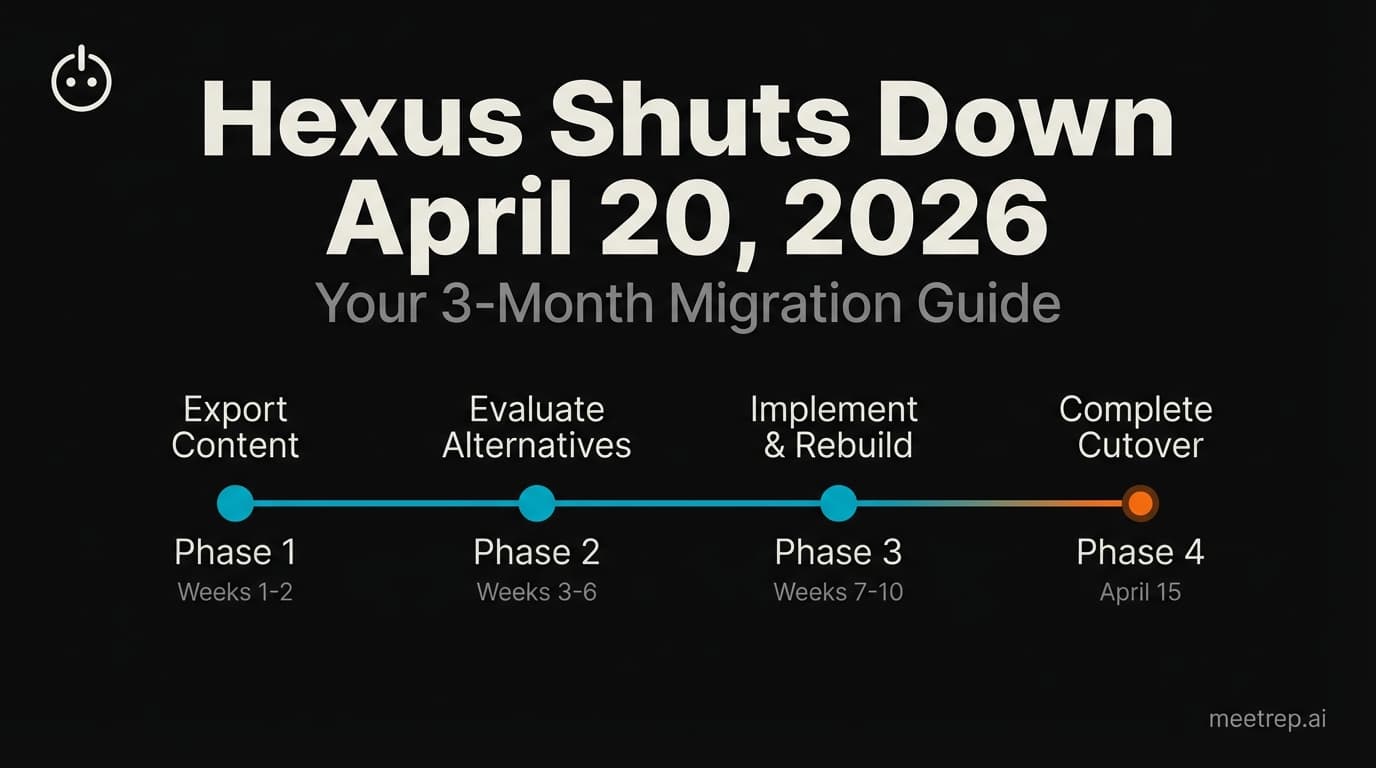
Hexus Acquired by Harvey AI: Congrats & What It Means for Demo Automation Teams
Hexus is shutting down following its acquisition by Harvey AI. Learn how to manage your migration and discover the best demo automation alternatives before April 2026.
Why the "Software Demo" is Broken—and Why AI Agents Are the Future
The traditional software demo is dead. Discover why 94% of B2B buyers rank vendors before calling sales and how AI agents are replacing manual demos to scale revenue.
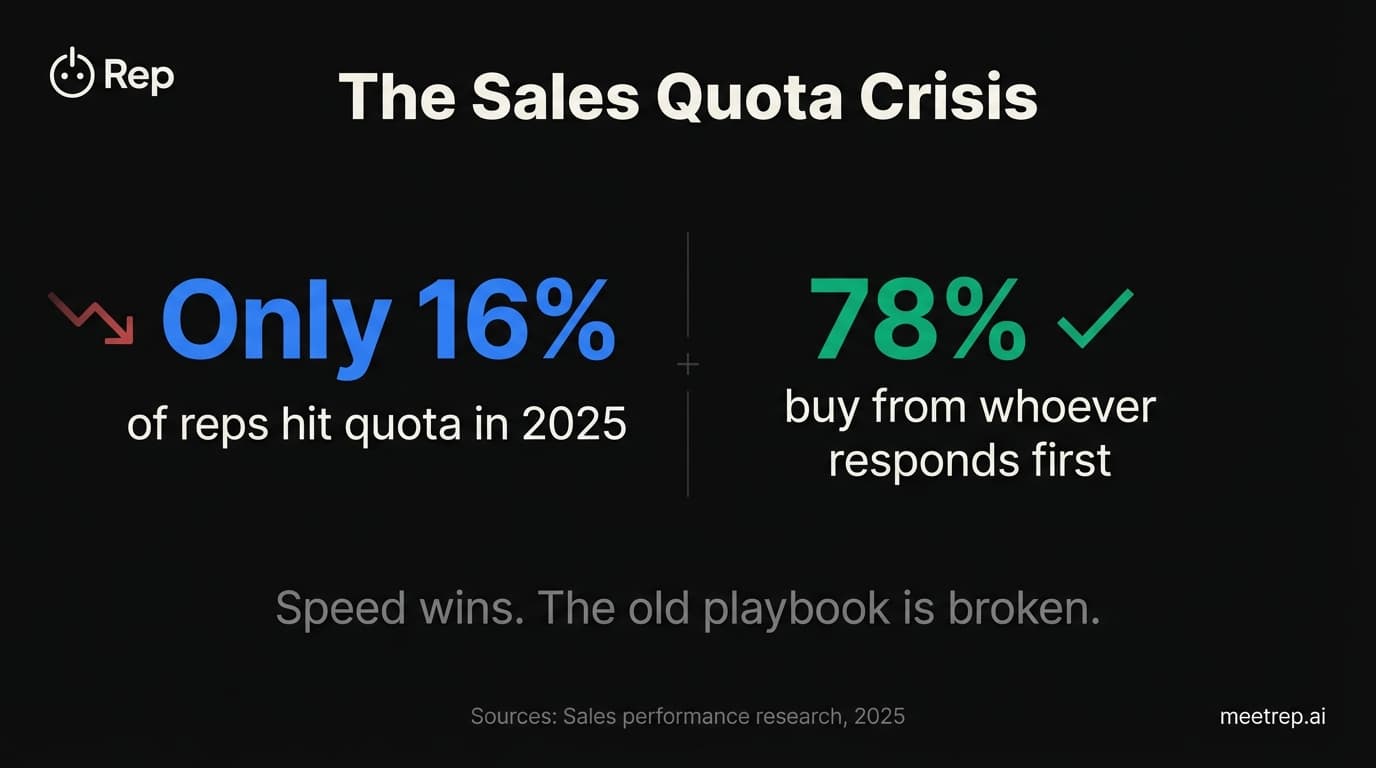
Why Autonomous Sales Software is the Future of B2B Sales (And Why the Old Playbook is Dead)
B2B sales is at a breaking point with quota attainment at 46%. Discover why autonomous 'Agentic AI' is the new standard for driving revenue and meeting the demand for rep-free buying.