Browser Automation: The Technology Behind AI Demo Agents

Executive Summary
- Browser automation lets AI agents control real browsers to navigate products, fill forms, and interact with live applications
- Chrome DevTools Protocol (CDP) is the foundation—it's why Playwright is 2.3x faster than Selenium
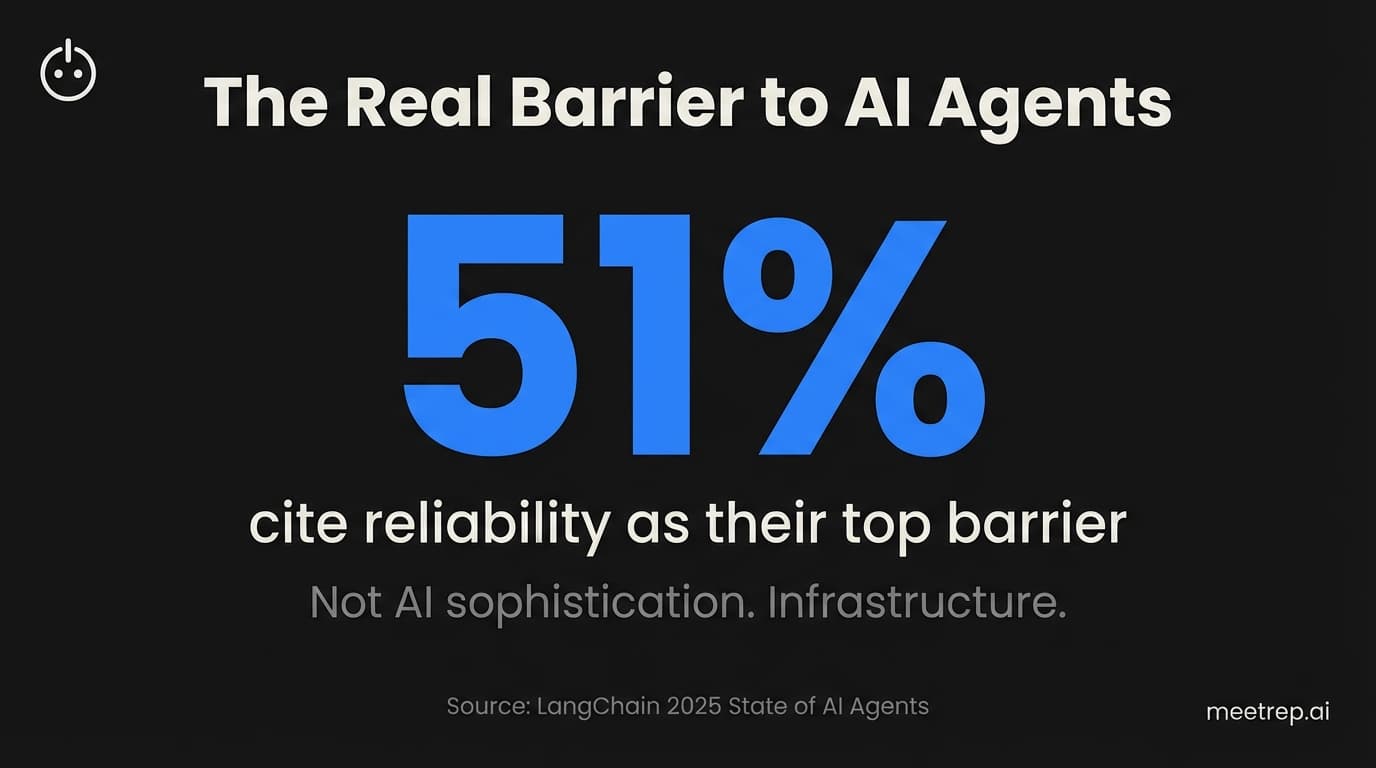
- 51% of organizations cite reliability as their top barrier to AI agent adoption—infrastructure matters more than AI sophistication
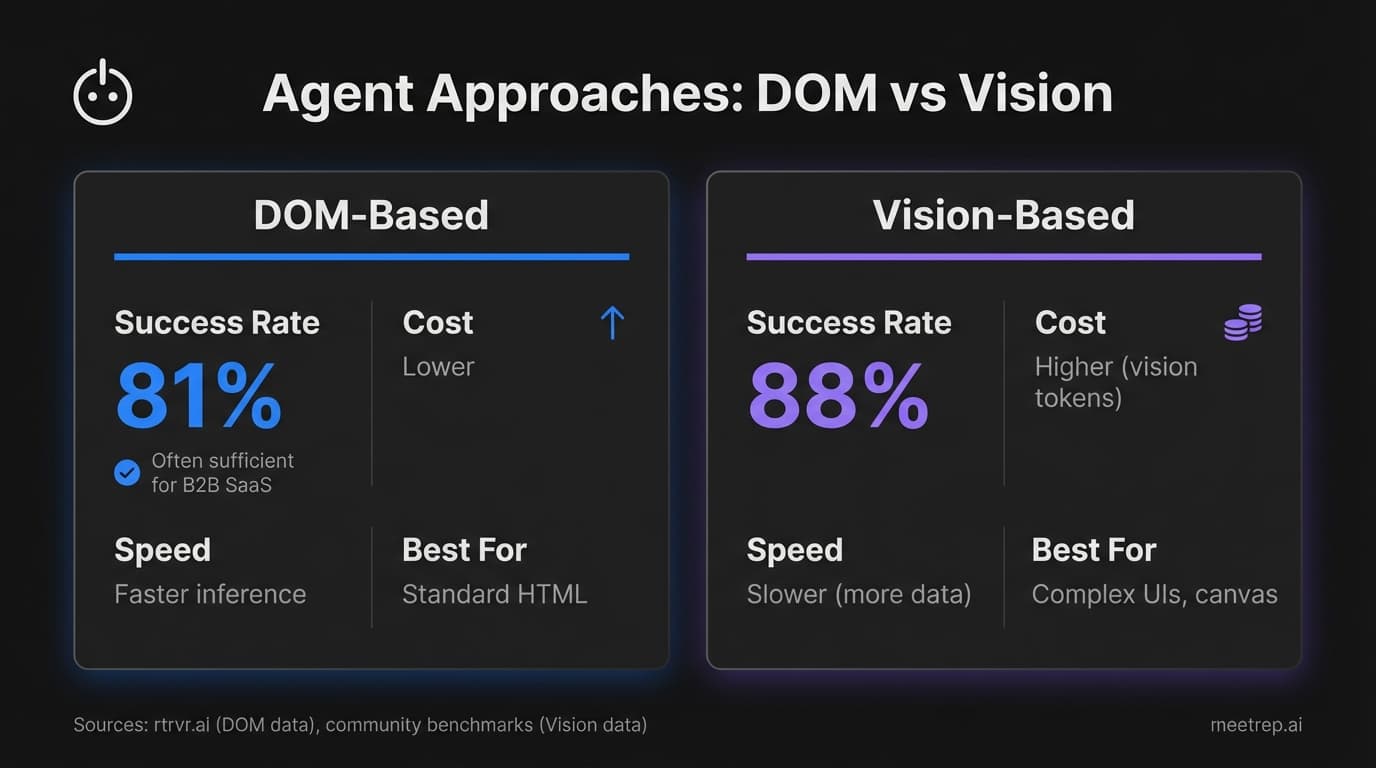
- DOM-based agents hit 81% success rates; vision-based agents hover around 88%, but cost much more
- Building in-house costs $50,000–$200,000 and takes 3–6 months; managed infrastructure eliminates most of that complexity
Most teams building AI demo agents focus on the AI part. The LLM. The prompts. The conversational flow.
Then their demos crash during customer calls. Not because the AI failed. Because the browser did.
I've watched this happen repeatedly while building Rep. Browser automation is the unglamorous foundation that determines whether your AI agent actually works—or just looks good in internal testing. And after building browser-based sales tools at GoCustomer.ai and now architecting Rep's demo infrastructure, I can tell you: most failures aren't AI problems. They're infrastructure problems.
This guide breaks down how browser automation actually works, the technical decisions that matter, and what separates reliable production systems from impressive demos that fall apart at scale.
What Is Browser Automation?
Browser automation is the programmatic control of web browsers to execute tasks—navigation, clicking, form filling, data extraction—without a human touching the keyboard. Think of it as giving software the ability to use a browser the way a person would, except faster and around the clock.
For AI demo agents, browser automation is the execution layer. The AI decides what to do. Browser automation does it.
Here's a quick example: When Rep gives a live product demo, the AI understands the prospect's question ("Show me how reporting works"), plans the response, and browser automation handles the actual clicks—navigating to the Reports tab, filtering data, scrolling to the right chart. The AI narrates. The browser executes.
But browser automation isn't new. Selenium has been around since 2004. What's changed is how we control browsers and what we expect them to do.
The shift from testing to AI agents introduced new requirements: real-time responsiveness, self-healing when UIs change, and the ability to run thousands of sessions simultaneously without crashing. Traditional automation wasn't built for this.
The Data:57% of US work hours are now automatable with current technologies, according to McKinsey's 2025 research. Browser automation is how much of that potential gets realized.
The Technical Foundation: Chrome DevTools Protocol
Understanding browser automation means understanding CDP—the Chrome DevTools Protocol. It's the communication layer between your code and the browser.
CDP uses WebSocket connections for bidirectional, real-time communication. That's a critical distinction. Older approaches (like WebDriver, which Selenium uses) rely on HTTP request-response cycles. You send a command, wait for a response, send another command. It's slow.
CDP maintains a persistent connection. Commands fire instantly. The browser can push events back to your code without being asked. Page loaded? CDP tells you. Network request intercepted? CDP tells you. Element appeared? CDP tells you.
This architecture enables:
| Capability | How CDP Handles It |
|---|---|
| Navigation control | Direct commands to load URLs, go back/forward, intercept redirects |
| DOM manipulation | Read/write HTML structure, query elements, modify content |
| Network interception | Monitor requests, modify responses, block resources |
| JavaScript execution | Run code in page context, evaluate expressions |
| Input simulation | Keyboard events, mouse clicks, touch interactions |
When we built Rep's browser automation layer, CDP's real-time event model was non-negotiable. During a live demo, delays between voice narration and browser actions feel broken. The prospect says "Show me the dashboard." If the AI responds immediately but the browser takes two seconds to navigate, the experience falls apart.
And here's what I didn't fully appreciate before building this: CDP isn't just faster—it's architecturally different. WebDriver treats the browser as a black box you poke from outside. CDP opens the box and lets you reach inside.
Playwright vs. Puppeteer vs. Selenium: The Framework Decision
If you're building anything with browser automation in 2025, you'll hit this decision fast. The framework you choose shapes everything downstream.
Here's the honest comparison:
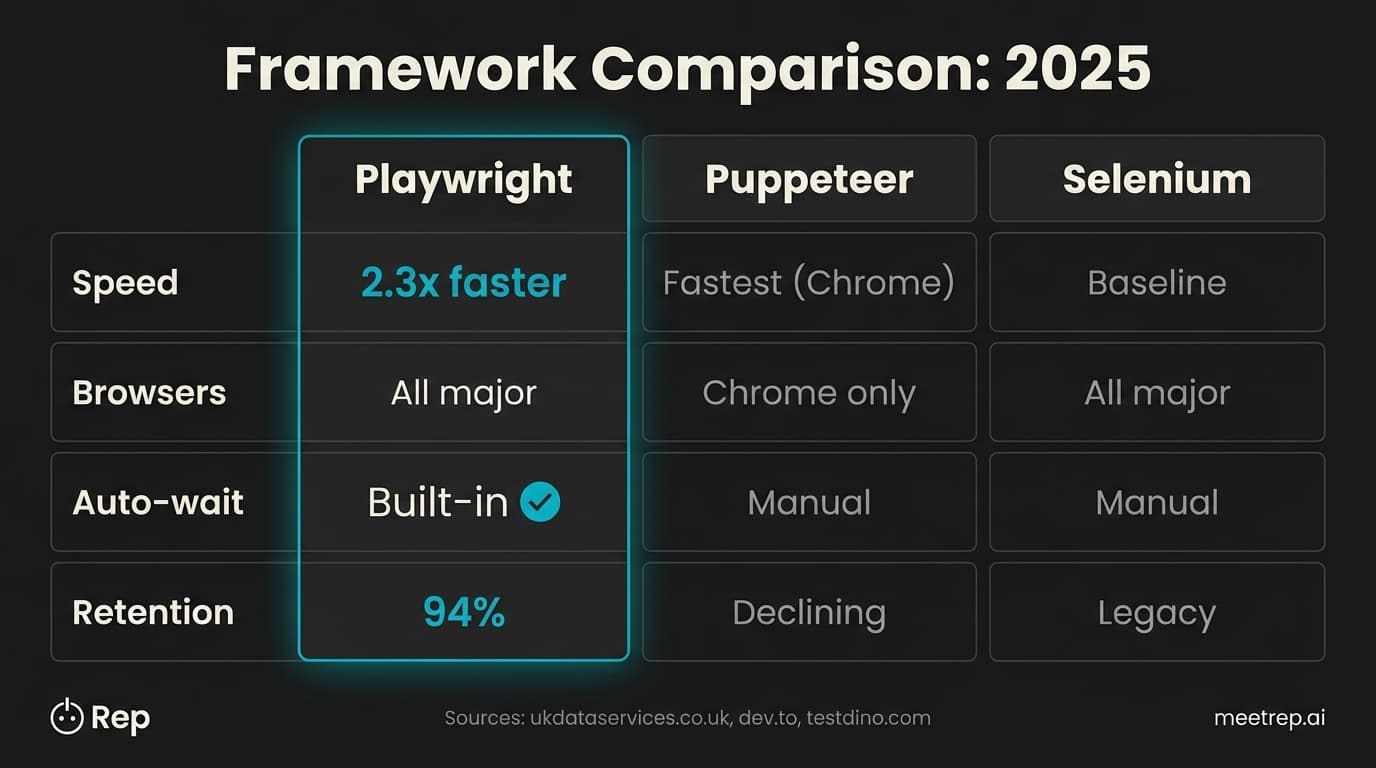
| Feature | Playwright | Puppeteer | Selenium |
|---|---|---|---|
| Protocol | CDP + WebSocket | CDP + WebSocket | WebDriver (HTTP) |
| Speed | 2.3x faster than Selenium | Fastest (Chrome only) | Baseline |
| Browsers | Chromium, Firefox, WebKit | Chromium only | All major |
| Languages | JS, TS, Python, Java, C# | JavaScript only | All major |
| Auto-wait | Built-in | Manual | Manual |
| Adoption | 45.1% among QA pros | Wide but declining | Legacy standard |
| Retention | 94% | Not measured | Steady decline |
We chose Playwright for Rep. Three reasons.
First, auto-wait. Traditional automation requires explicit waits—"wait for element to appear," "wait for network idle," "wait 2 seconds just in case." Playwright handles this automatically. You say "click this button," and Playwright waits until the button is clickable before clicking. Sounds simple. Eliminates entire categories of flaky tests.
Second, cross-browser. Rep's demos run in cloud browsers that prospects view via screen share. We needed confidence it would work regardless of browser rendering differences. Puppeteer's Chrome-only limitation was a risk.
Third, the community momentum. That 94% retention rate tells you something. Teams that adopt Playwright stay with it. When Stagehand (the AI automation framework from Browserbase) built their stack, they built on Playwright. That alignment matters when you're combining tools.
What we learned building Rep: Auto-wait alone saved us weeks of debugging. When your AI is narrating a demo and browser actions need to fire in sync with speech, inconsistent timing breaks the experience. Playwright's built-in intelligence here was worth the framework switch.
But here's the honest caveat: if you're only targeting Chrome and you want raw speed, Puppeteer is still the fastest option. It's Google's own project, optimized for Chromium. For our use case—live demos where reliability trumped milliseconds—Playwright was the right call.
The AI Layer: How Agents Actually Control Browsers
Browser automation gives you the steering wheel. AI decides where to drive.
There are two dominant approaches for AI browser agents, and they're architecturally different:
DOM-Based Agents
These agents read the page structure—the HTML, the accessibility tree, the DOM hierarchy—and decide what to click based on code analysis. They don't "see" the page like a human would. They parse it like a program.
The process:
- Capture page HTML and accessibility tree
- Convert to structured format the LLM can process
- LLM identifies target element ("the Login button")
- Agent executes click via CDP
rtrvr.ai built their agent this way. Results: 81.39% success rate on the Halluminate Web Bench, with only a 3.39% infrastructure error rate.
Advantages: Lower cost (no vision tokens), faster inference, handles text-heavy interfaces well.
Disadvantages: Struggles with canvas elements, complex Shadow DOM, sites where visual layout differs from code structure.
Vision-Based Agents
These agents take screenshots and send them to multimodal LLMs (GPT-4o Vision, Gemini Flash). The AI literally looks at the image and decides where to click. Why? Because sometimes the code lies, but the pixels don't.
Skyvern, OpenAI Operator, and Google's Project Mariner take this approach.
Advantages: More resilient to messy code, handles canvas/SVG, works when DOM structure is misleading.
Disadvantages: Expensive (vision tokens add up fast), slower (more data to process), requires larger context windows.
| Approach | Success Rate | Best For | Cost |
|---|---|---|---|
| DOM-based (rtrvr.ai) | 81.39% | Text-heavy apps, standard HTML | Lower |
| Vision-based (Operator) | ~88% (community benchmarks) | Complex UIs, canvas, games | Higher |
| Hybrid (Stagehand) | Varies by task | Flexibility, fallback options | Medium |
My take: Vision-based agents are overhyped for most B2B SaaS demos. Why? Standard web apps have accessible DOM structures. You don't need to "see" the page—you need to parse it correctly. Vision makes sense for edge cases: canvas-heavy applications, shadow DOM complications, or sites with misleading HTML. For typical SaaS products, DOM-based approaches are faster, cheaper, and reliable enough.
Stagehand splits the difference with a hybrid model—code handles predictable flows, AI handles dynamic decisions. That's closer to how we think about it at Rep: deterministic where you can be, intelligent where you need to be.
The Infrastructure Problem Nobody Talks About
Here's where teams get burned.
Building an AI browser agent that works in a demo is easy. Building one that works at 2 AM during a prospect's self-service demo while handling three concurrent sessions? That's infrastructure.
The Data:51% of organizations cite "performance quality" (reliability) as the top barrier to AI agent adoption—more than twice as many as cite cost (22.4%), according to LangChain's 2025 State of AI Agents report.
The infrastructure challenges stack up fast:
Cold starts. Spinning up a headless browser takes 500ms–2s. That delay kills real-time interactions.
Bot detection. Cloud IPs get blocked. Sites fingerprint headless browsers. Captchas appear.
Resource management. Each browser instance consumes CPU and memory. Scale to 100 concurrent sessions and you're managing a small Kubernetes cluster.
Session isolation. Prospect A's demo state can't leak into Prospect B's session. Ephemeral containers, credential management, cleanup flows.
AgentiveAIQ puts enterprise AI agent deployments at $50,000–$200,000 average cost with a 3–6 month timeline. Most of that isn't AI development. It's infrastructure.
Common mistake: Teams underestimate infrastructure complexity because their local testing works fine. Honestly, running a handful of sessions is easy. Running thousands reliably requires:
- Residential proxies (not data center IPs that get blocked)
- Fingerprint randomization (user agents, screen sizes, canvas hashes)
- Managed captcha solving
- Auto-scaling that doesn't crash under load
- Session state management
- Monitoring and alerting
This is why managed infrastructure solutions exist. Browserbase processed 50 million browser sessions in 2025 with 1,000+ customer organizations. They handle the ephemeral containers, stealth mode, proxy rotation, and scaling. You get an API.
When Convergence (later acquired by Salesforce) built their consumer AI agent, they calculated that handling infrastructure in-house would have required 3–4 dedicated engineers. By using Browserbase, they focused their small team on the AI and UX instead.
Security: The Risks Are Real
I'm not going to sugarcoat this. AI browser agents introduce real security concerns.
The evidence:
CVE-2025-47241 hit the browser-use library in May 2025. Attackers could bypass domain whitelists, enabling unauthorized access to sites the agent wasn't supposed to reach. This was a critical vulnerability in a popular open-source library.
Gartner's December 2025 warning was blunt: "Cybersecurity must block AI browsers now. AI browsers are nascent and innovative, yet too risky for general adoption by most organizations."
And Orca Security's 2025 report found that 62% of organizations had at least one vulnerable AI package in their environments.
What this means for demo automation specifically:
Demo automation is actually lower-risk than general AI browser agents because the scope is controlled. You're navigating your own product in a demo environment with stored credentials. You're not letting an AI loose on the entire internet.
But "lower risk" isn't "no risk."
Secure implementations need:
| Security Layer | Purpose |
|---|---|
| Ephemeral containers | Each session runs in isolation, destroyed after |
| Domain whitelisting | Agent can only access pre-approved URLs |
| Human-in-the-loop | Critical actions require approval |
| Credential isolation | Demo credentials stored securely, never exposed in logs |
| PII redaction | Automatic masking of sensitive data in recordings |
At Rep, browser sessions run in isolated containers that terminate when the demo ends. The agent can only navigate within the customer's configured demo environment. It can't wander to arbitrary sites. That constraint is a feature, not a limitation.
Why Demo Automation Is the Killer Use Case
I'll admit my bias here: I'm building a demo automation product. But the data supports why this vertical makes sense.
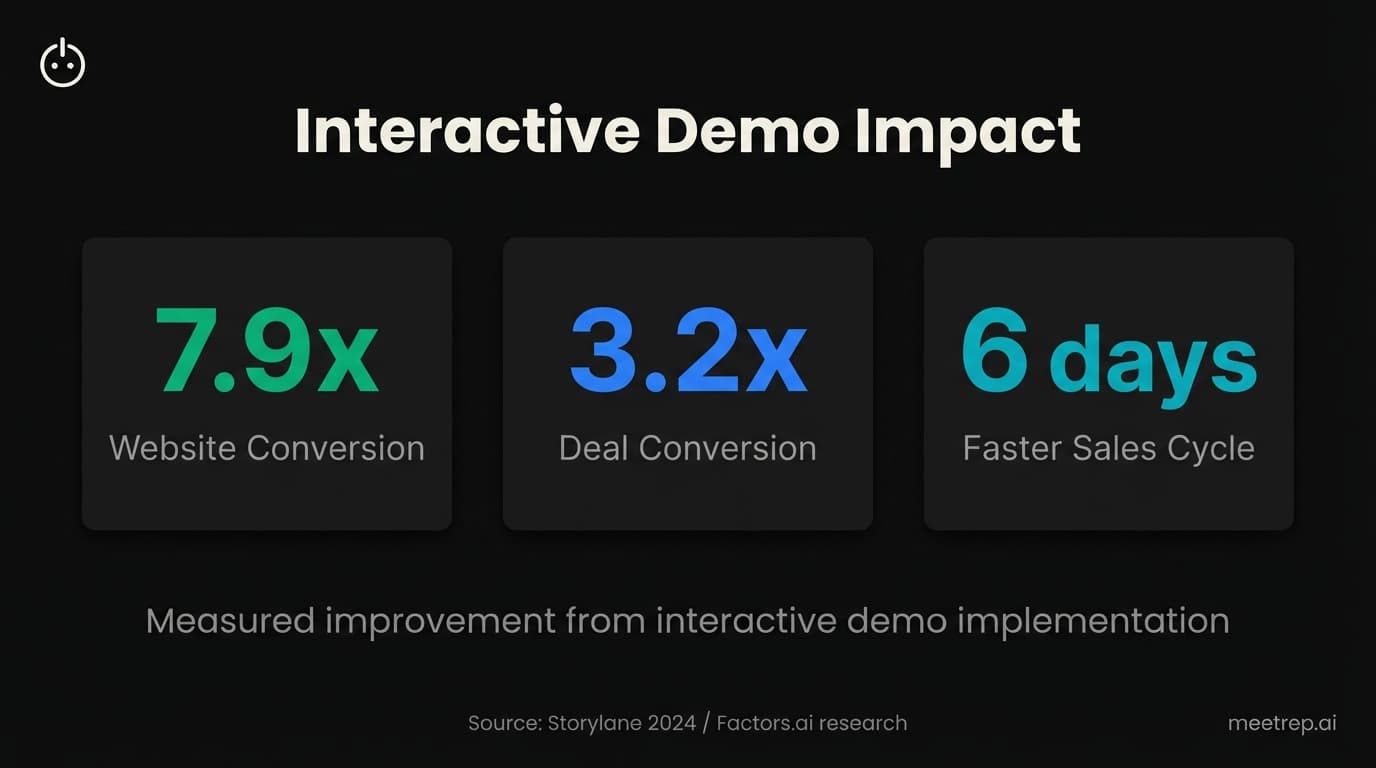
Storylane's 2024 research with Factors.ai found:
- 7.9x improvement in website conversion (3.05% → 24.35%)
- 3.2x improvement in deal conversion (3.1% → 10.1%)
- 6-day reduction in sales cycle (33 → 27 days)
Interactive demos work. The question is: what kind of interactive demo?
Click-through tools (Navattic, Walnut, Storylane) capture HTML/CSS snapshots and create simulated replicas. Safe, consistent, easy to build. But they're not real. You can't show live data, demonstrate integrations, or handle complex workflows.
Autonomous agents (Rep, rtrvr.ai) drive actual browsers with actual products. Real data, real interactions, real responses to prospect questions. More complex to build, but a fundamentally different experience.
For complex B2B products—the ones where SEs spend hours tailoring demos—autonomous agents unlock something click-through tools can't: genuine interactivity. The prospect asks a question. The AI answers. The prospect asks to see something specific. The AI shows them. That back-and-forth is what makes demos convert.
That's why we built Rep to combine voice conversation with browser automation. The AI handles the conversation—questions, objections, explanations. Browser automation handles the execution—navigating your product, showing the right features, demonstrating capabilities live.
How to Choose: Build vs. Buy Framework
If you're evaluating browser automation for AI agents, here's the decision framework:
Build in-house if:
- You have 3+ engineers to dedicate for 6+ months
- You have budget for $50k–$200k in infrastructure and development
- You need deep customization that no vendor supports
- You're building automation as a core product feature, not internal tooling
Buy infrastructure (Browserbase, etc.) if:
- You want production-ready infrastructure in weeks
- You need enterprise features (stealth mode, scaling, compliance) without building them
- Your core competency is the AI and product, not browser infrastructure
- You want to avoid maintaining Kubernetes clusters, proxy networks, and anti-detection systems
Buy complete solution (Rep, Consensus, etc.) if:
- You want demo automation without building an AI agent
- Speed to value matters more than customization
- You don't have engineering resources for agent development
The honest answer: most teams should buy infrastructure, not build it. The complexity of reliable browser automation at scale is consistently underestimated. Parcha, a financial services company, reduced their compliance workflows from 1 hour to 10 seconds using Browserbase—with a 4-engineer team. They couldn't have built that infrastructure themselves in any reasonable timeline.
Browser automation isn't glamorous. Nobody gets excited about CDP connections and DOM parsing. But it's the foundation that determines whether AI demo agents actually work in production.
The market is moving fast. 51% of organizations already use AI agents in production. Interactive demos improve conversion by nearly 8x. The technology is ready. The infrastructure options exist.
At Rep, we've made our bets: Playwright for the automation layer, managed infrastructure for scale, voice + browser for the complete demo experience. My recommendation? Whatever you build, don't underestimate the browser automation layer. It's not the part prospects see. It's the part that determines whether they see anything at all.

Nadeem Azam
Founder
Software engineer & architect with 10+ years experience. Previously founded GoCustomer.ai.
Nadeem Azam is the Founder of Rep (meetrep.ai), building AI agents that give live product demos 24/7 for B2B sales teams. He writes about AI, sales automation, and the future of product demos.
Frequently Asked Questions
Table of Contents
- What Is Browser Automation?
- The Technical Foundation: Chrome DevTools Protocol
- Playwright vs. Puppeteer vs. Selenium: The Framework Decision
- The AI Layer: How Agents Actually Control Browsers
- The Infrastructure Problem Nobody Talks About
- Security: The Risks Are Real
- Why Demo Automation Is the Killer Use Case
- How to Choose: Build vs. Buy Framework
Ready to automate your demos?
Join the Rep Council and be among the first to experience AI-powered demos.
Get Early AccessRelated Articles
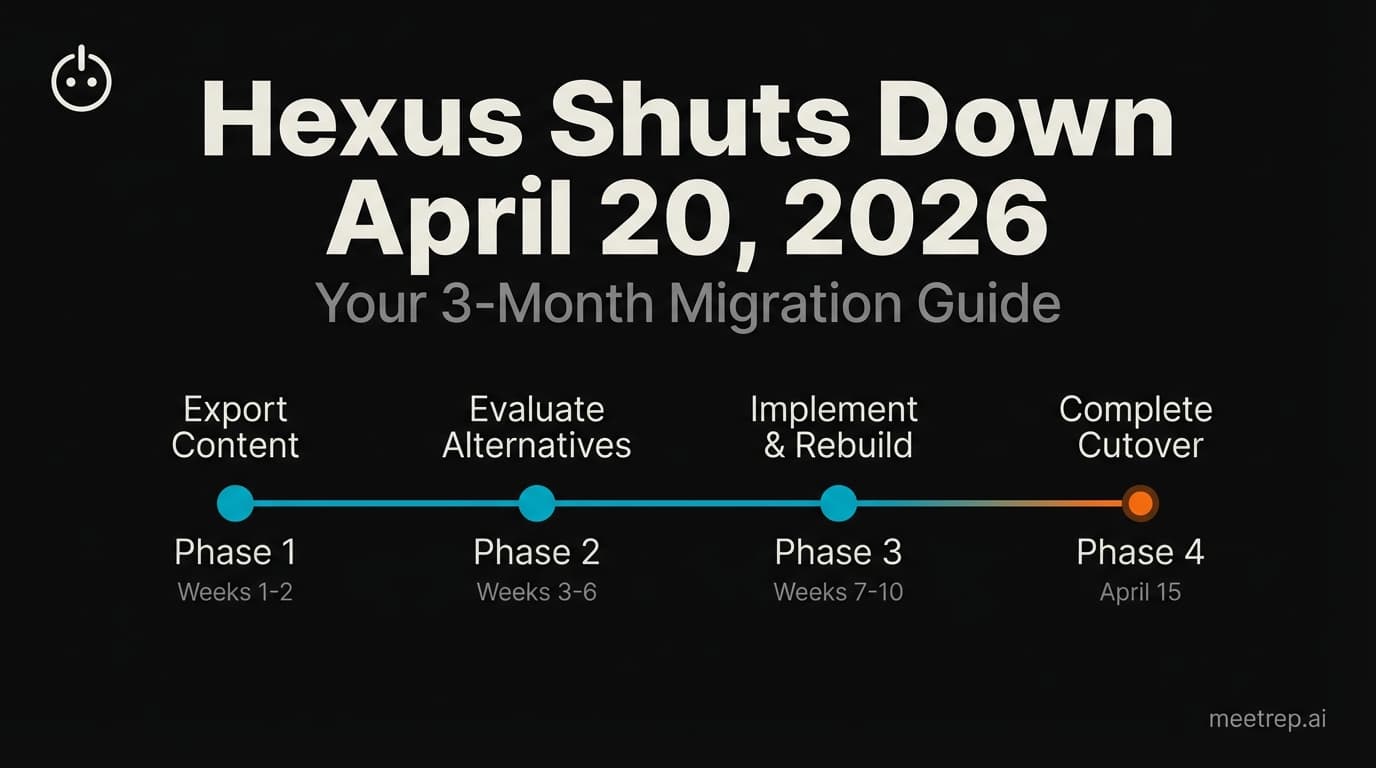
Hexus Acquired by Harvey AI: Congrats & What It Means for Demo Automation Teams
Hexus is shutting down following its acquisition by Harvey AI. Learn how to manage your migration and discover the best demo automation alternatives before April 2026.
Why the "Software Demo" is Broken—and Why AI Agents Are the Future
The traditional software demo is dead. Discover why 94% of B2B buyers rank vendors before calling sales and how AI agents are replacing manual demos to scale revenue.
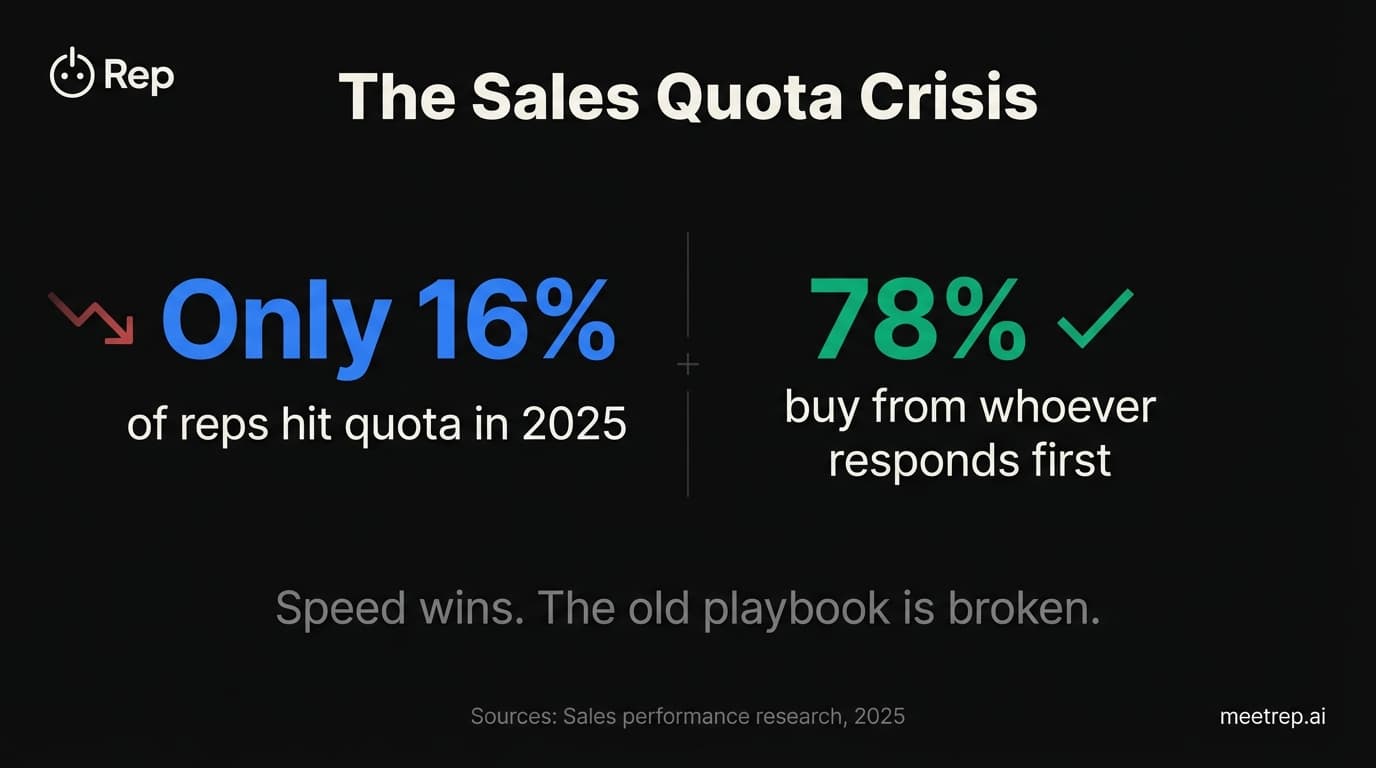
Why Autonomous Sales Software is the Future of B2B Sales (And Why the Old Playbook is Dead)
B2B sales is at a breaking point with quota attainment at 46%. Discover why autonomous 'Agentic AI' is the new standard for driving revenue and meeting the demand for rep-free buying.